Car Detailing Website Design: 12 Sections Every Detailing Website Needs (2026)
The 12 sections every car detailing website needs, what to put in each one, and the design mistakes that cost detailers bookings, with real examples.
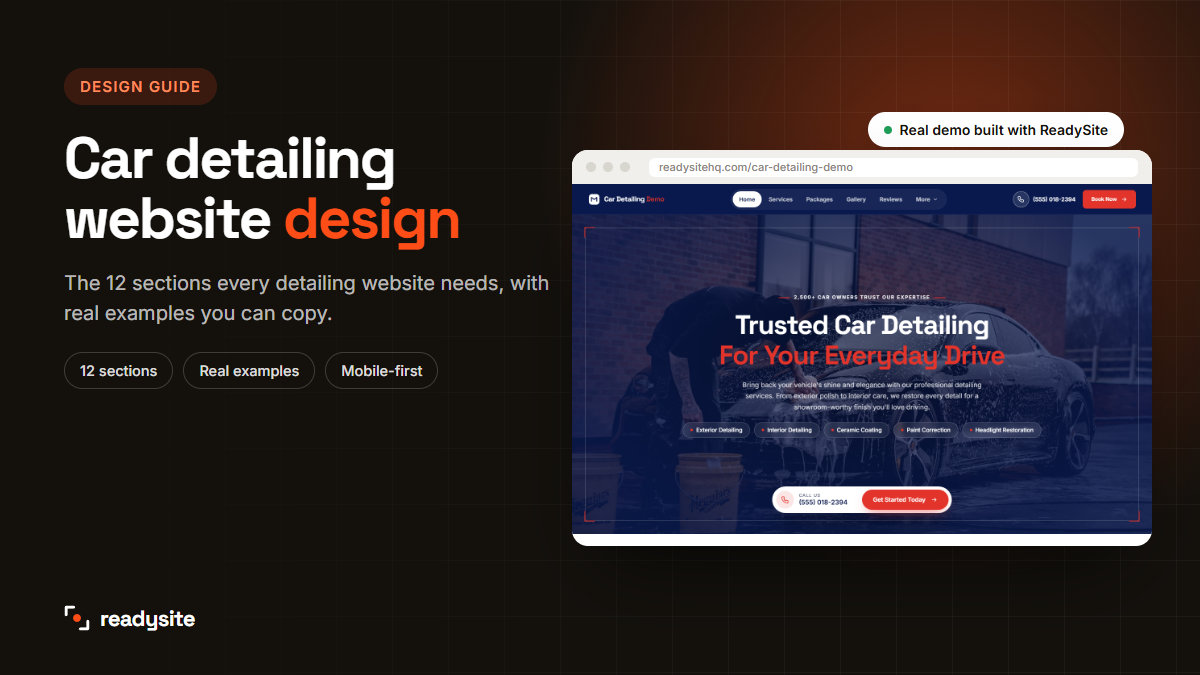
Good car detailing website design isn’t about fancy animations or clever slogans. It’s about putting the right sections in the right order, so a visitor goes from “who is this?” to “book me in” in under a minute. Get that right and your detailing website works like a salesperson that never sleeps.
In this guide we’ll walk through the 12 sections every detailing website needs, what to put in each one, and the design mistakes that quietly cost detailers bookings. Every example comes from a real car detailing website demo built with ReadySite, so you can see exactly how it looks.
In this guide
Why car detailing website design matters
People choosing a detailer are about to hand over one of the most expensive things they own. Before they call, they want three answers: Do you do what I need? Can I trust you with my car? What will it cost?
A well-designed detailing website answers all three in one scroll. A poorly designed one hides the answers behind menus, walls of text or “call for a quote”, and the visitor goes back to Google and picks someone else.
Good design also helps with Google. Clear headings, fast pages and a layout that works on phones make it easier for search engines to understand your business and for visitors to stay on the page. That’s why the structure below is the same structure we use for every car detailing website we build.
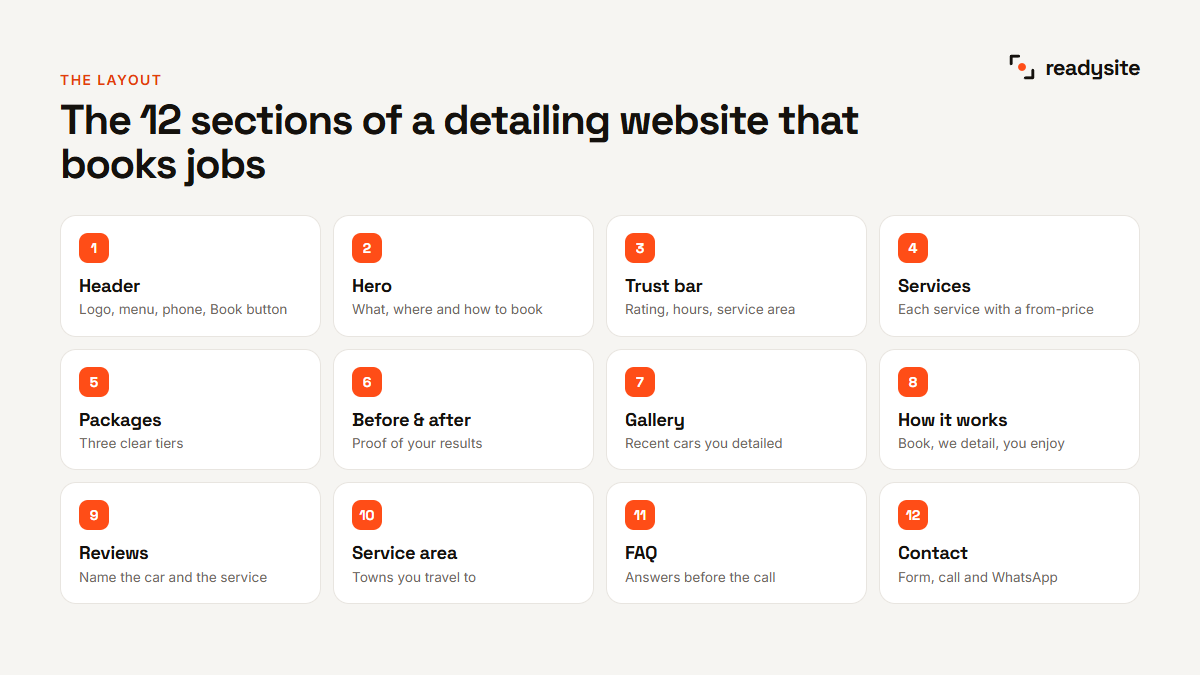
The 12 sections every detailing website needs
Here’s the order that works best for most detailers. It follows the questions a customer asks in their head, from first glance to booking.
- Header: your logo, a short menu, your phone number and a Book button.
- Hero: what you do, where you do it and how to book.
- Trust bar: your rating, opening hours and service area at a glance.
- Services: each service with a short description and a starting price.
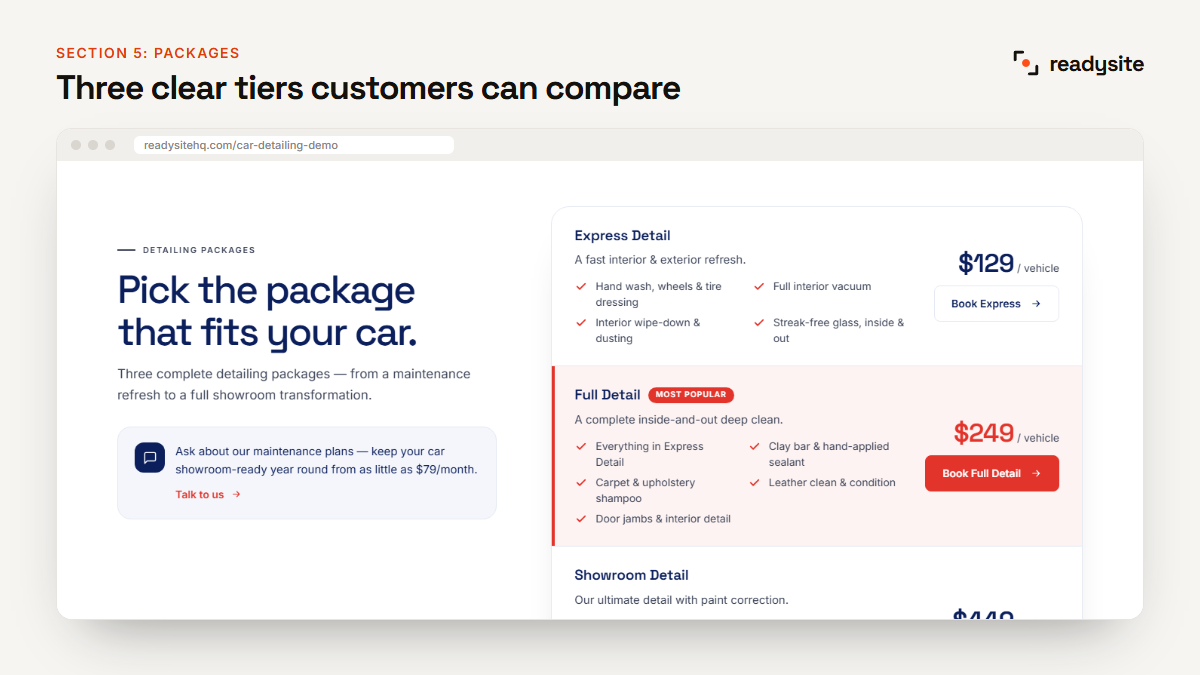
- Packages: three clear tiers so people can compare.
- Before and after: proof that your work is worth it.
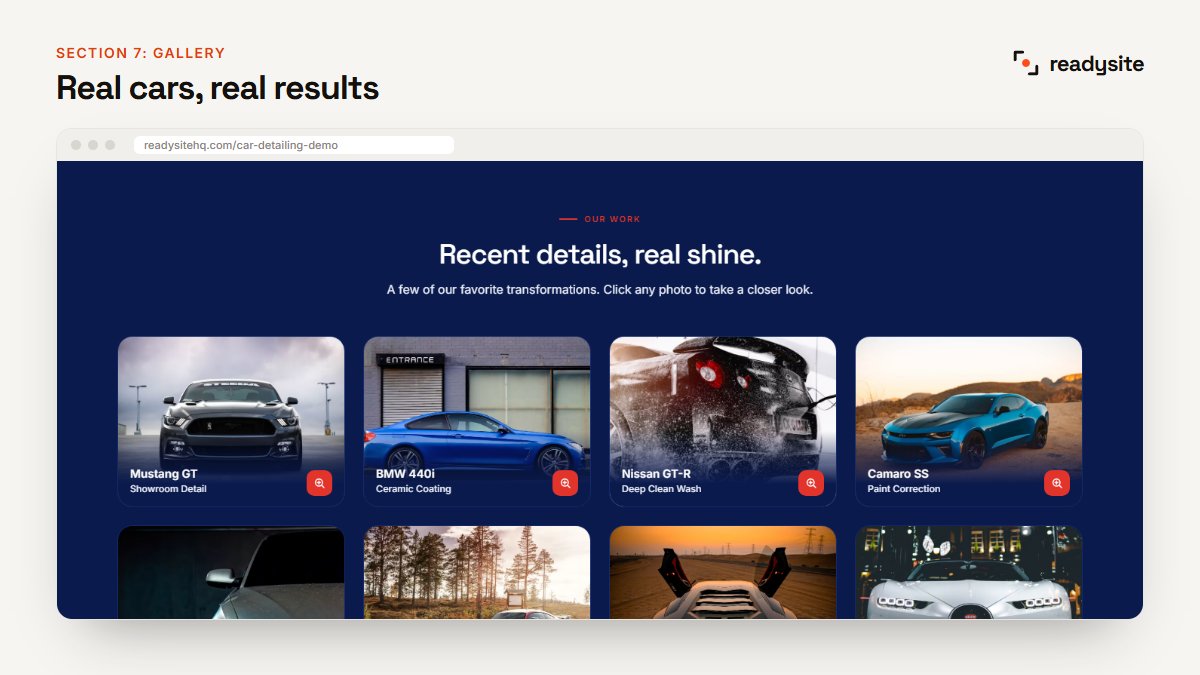
- Gallery: recent cars you’ve detailed.
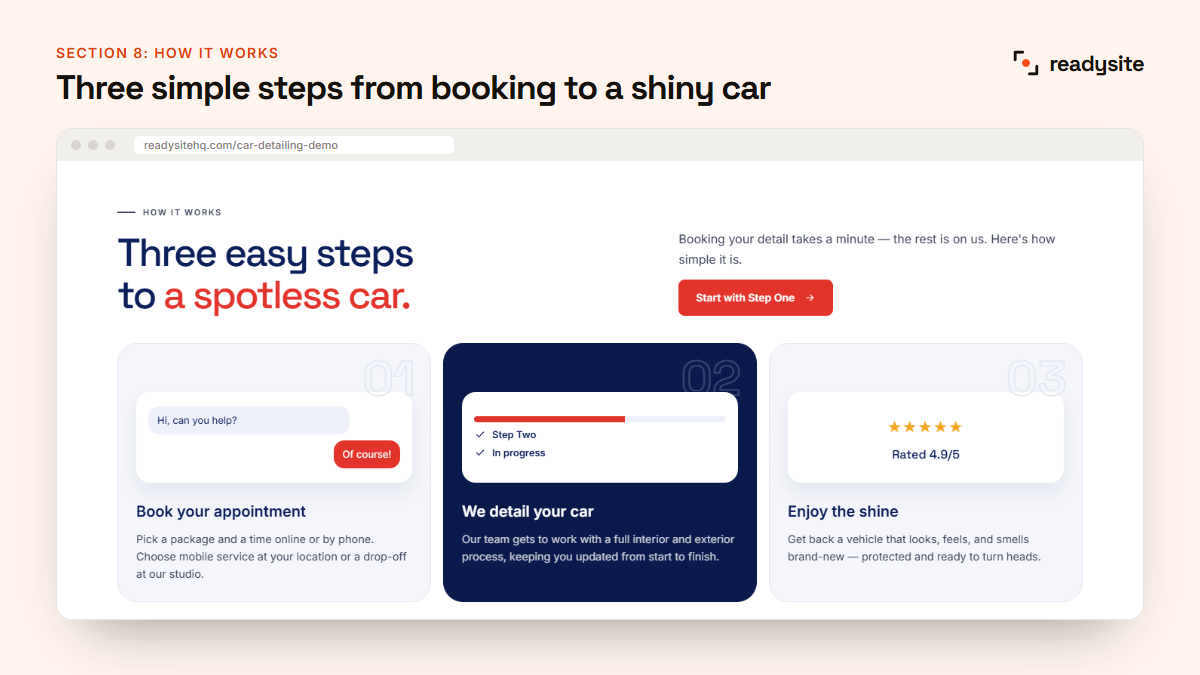
- How it works: three simple steps from booking to a shiny car.
- Reviews: what real customers say.
- Service area: the towns you travel to, or your shop location.
- FAQ: answers to the questions people ask before they call.
- Contact: a short form, tap-to-call and WhatsApp.
Let’s look at each section in more detail.
1–2. Header and hero: the first five seconds
The top of your page is the most valuable space on your whole website. Most visitors decide within seconds whether to stay, so this is where your design has to work hardest.
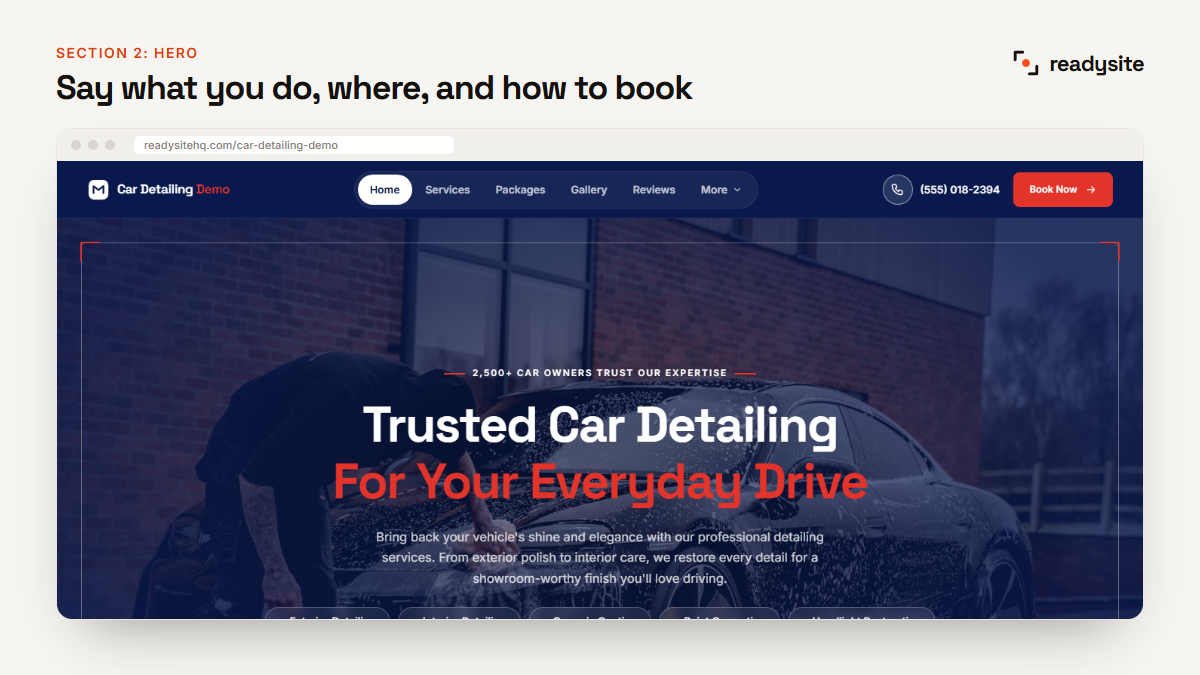
What the header needs
Keep the menu short, with five or six links at most: Services, Packages, Gallery, Reviews and Contact. Add your phone number on the right and a bright “Book now” button. On phones, the menu folds away but the call button should stay visible.
What the hero needs
Your hero is the big first section with a headline and a photo. It should answer three questions instantly:
- What do you do? “Mobile car detailing”, “Ceramic coating and paint correction”.
- Where? Your town or area, for example “in Leeds and Wakefield”.
- What should I do next? One clear button, such as “Get a free quote”, plus a call option.
Use a real photo of your own work if you can: a glossy car, water beading on fresh coating, or you working on a car. Stock photos of generic sports cars make a site look like a template.
Hero headline examples you can adapt
- “Mobile car detailing in Leeds. We come to your driveway.”
- “Ceramic coating and paint correction in Austin, done right the first time.”
- “Showroom-clean interiors, without leaving your house.”
- “Family cars, fleet vans and weekend toys, detailed in Bristol since 2018.”
Each one says what you do, where, and gives a reason to choose you. Keep it under about 12 words, then use a short line underneath for the details.
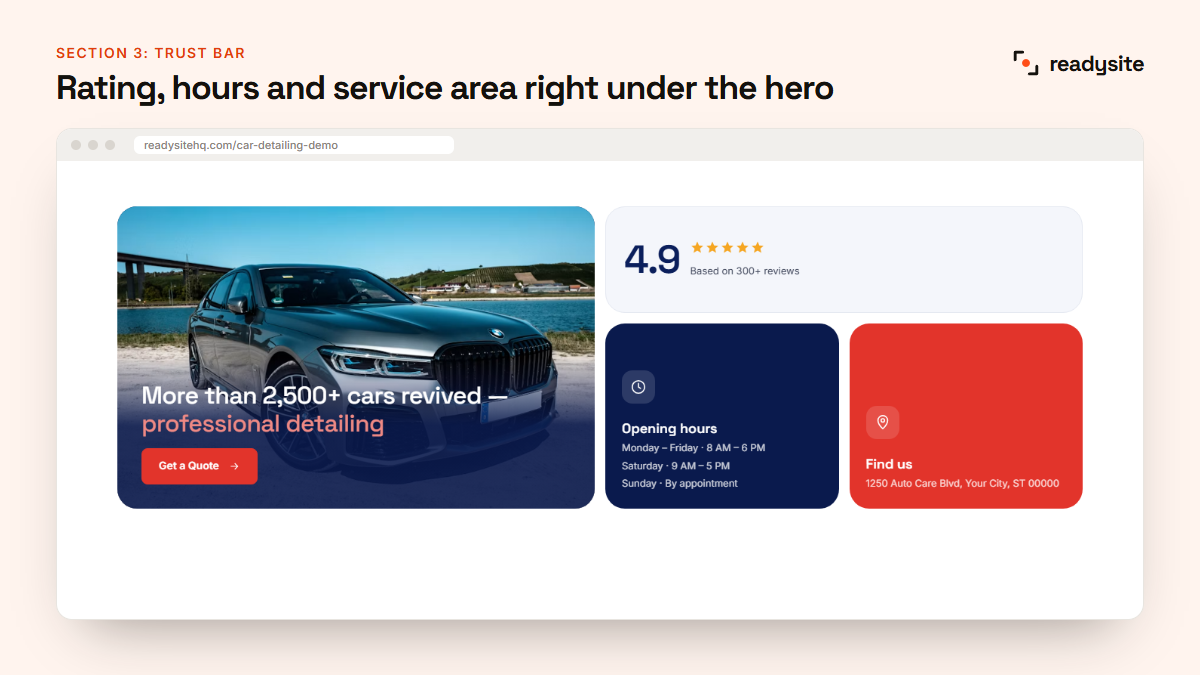
3. Trust bar: proof at a glance
Right under the hero, add a slim row of facts that make people feel safe: your Google rating, how many years you’ve been detailing, your opening hours and the area you cover. Only use real numbers. A made-up “500+ happy customers” does more harm than good if someone checks.
If you’re just starting out and don’t have reviews yet, use other facts instead: “Fully insured”, “We come to you”, or “Open 7 days”.
4–5. Services and packages: make prices easy
This is the section most customers scroll straight to. Good car detailing website design makes the services list easy to scan and the prices easy to find.
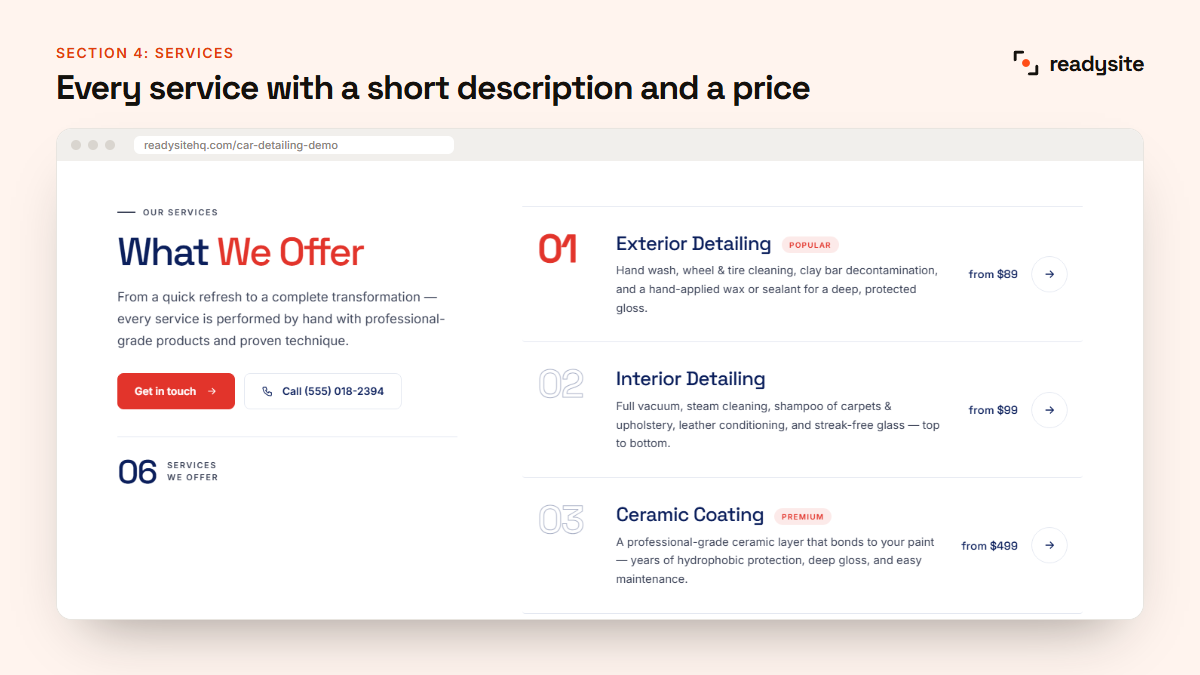
For services, give each one a name customers recognise, one or two sentences about the result, and a “from” price. Exterior detailing, interior detailing, ceramic coating, paint correction and headlight restoration are the most common.
For packages, three tiers work best: a quick refresh, a full detail and a premium or showroom detail. Mark your middle package as “Most popular”. If you want ideas for what to charge and how to present it, read our guide to car detailing prices.
6–7. Before and after, and the gallery
Detailing is visual. A strong before-and-after section often does more selling than everything else on the page combined.
- Shoot both photos from the same angle and in the same light, so the difference is obvious.
- Caption the car and the service, like “Audi S5, headlight restoration”. People with the same car will picture their own result.
- Keep it fresh. Add a few new cars every month so the gallery shows you’re busy.
- Use real photos only. Customers can spot stock images, and it damages trust.
8. How it works: remove the unknowns
Many people have never booked a detailer before. A simple three-step section takes away the uncertainty: “Book your appointment”, “We detail your car”, “Enjoy the shine”. Mention whether you’re mobile or in a studio, and whether you need access to water or power.
9. Reviews: let customers sell for you
Reviews are the most persuasive part of any detailing website design. Show three to six short reviews, each with the customer’s first name, their car and the service they had. A review like “Ford F-150, ceramic coating: water just beads right off” is far more believable than “Great service!”.
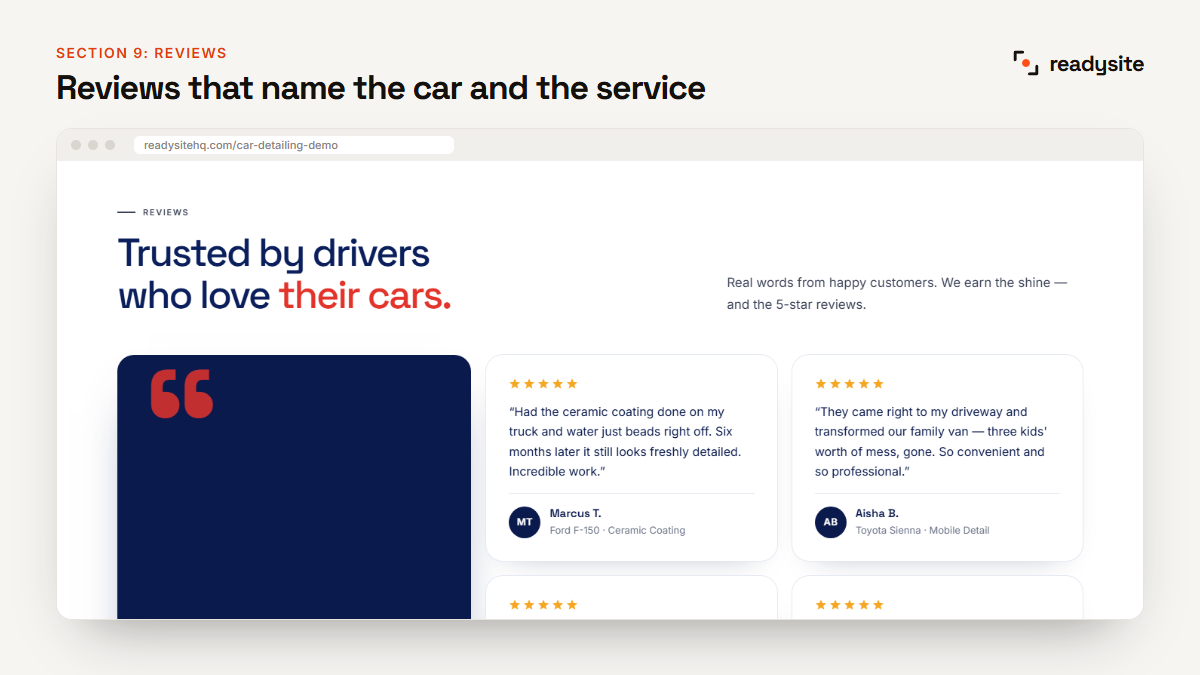
According to BrightLocal’s 2025 Local Consumer Review Survey, only 4% of consumers say they never read online business reviews. Put yours where people will see them.
10. Service area: tell people you cover them
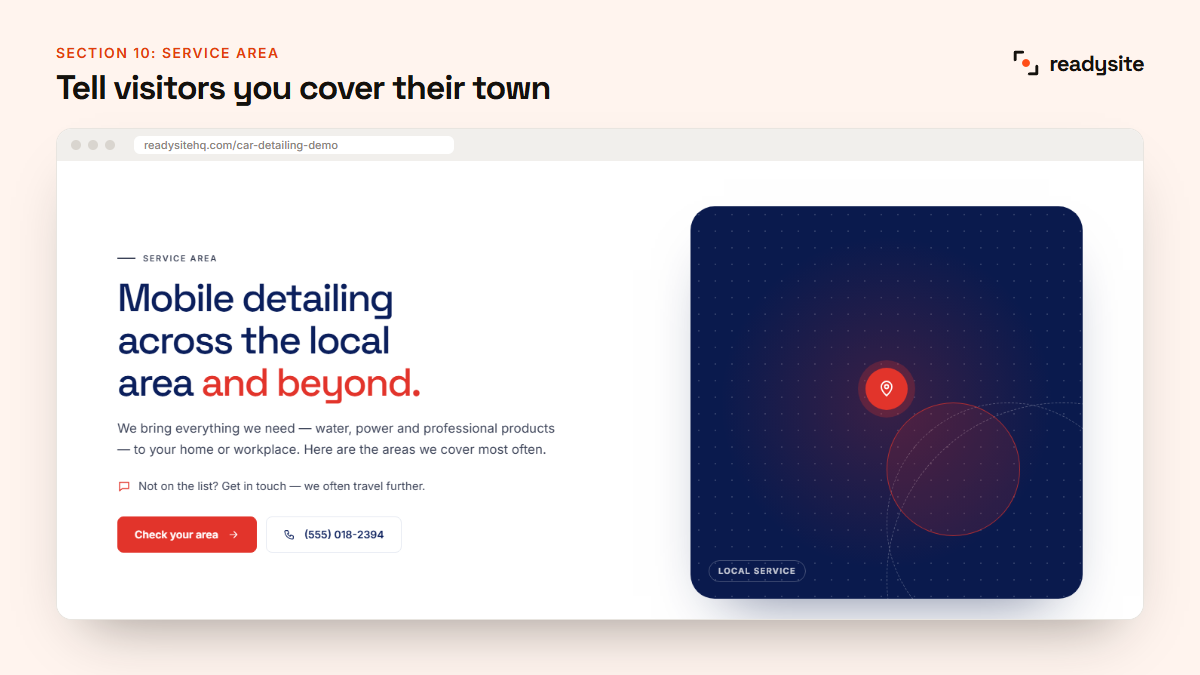
Mobile detailers lose bookings when visitors aren’t sure if they travel to their street. List the towns and areas you cover by name, and add a line such as “Not on the list? Ask us, we often travel further.” This also helps you show up in local searches. Our car detailing SEO guide explains why.
11. FAQ: answer questions before the call
Every question you answer on your website is one less phone call. Use the questions customers already ask you.
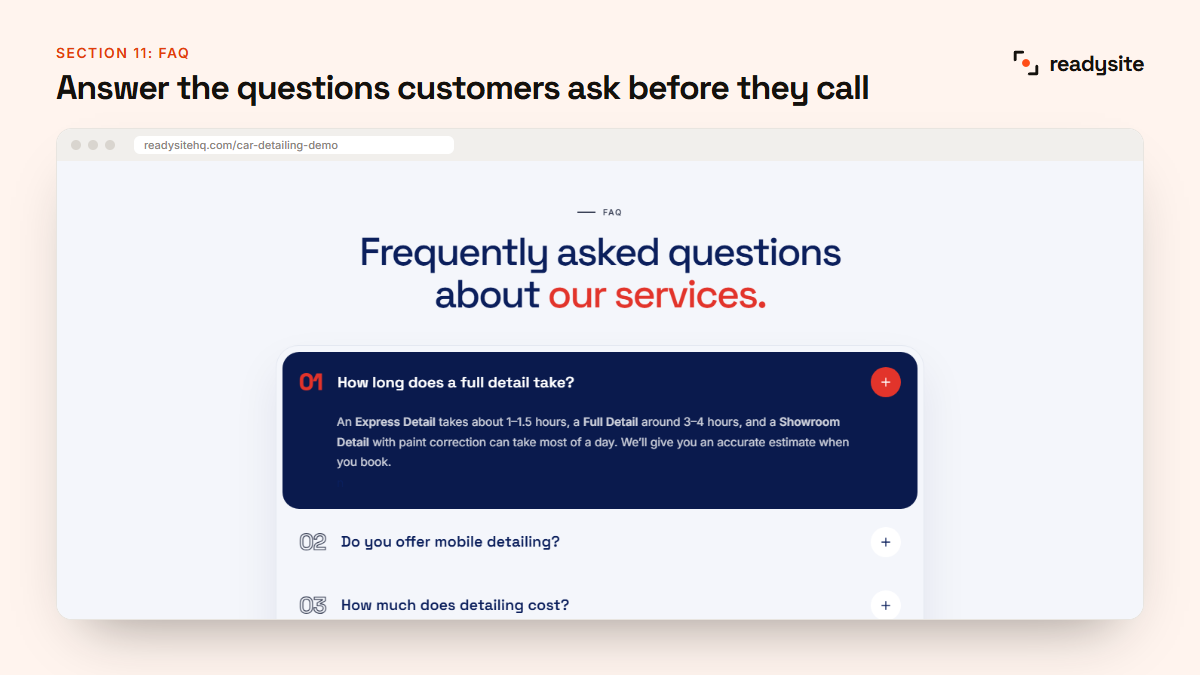
- How long does a full detail take?
- Do you come to me? Do you need water or power?
- How much does detailing cost?
- How long does ceramic coating last?
- How do I book, and do you take a deposit?
12. Contact: make booking effortless
End the page with an easy way to get in touch. The best detailing website design offers more than one option, because different people prefer different things:
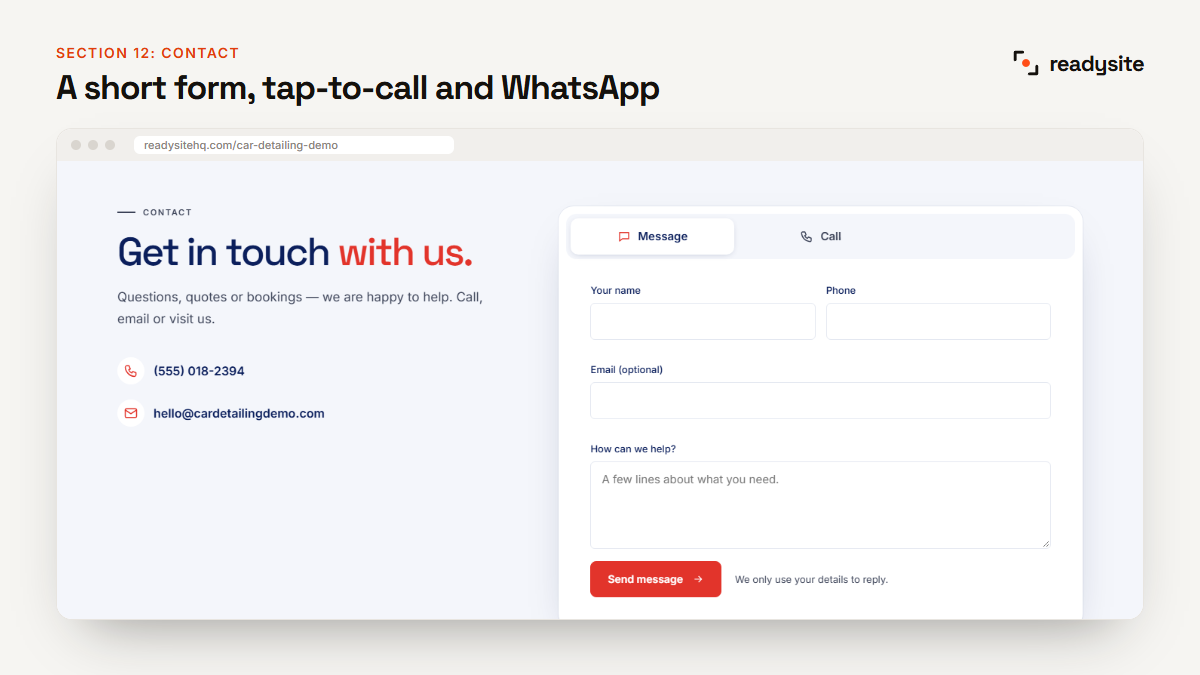
- A short form asking for name, phone, car and the service they want.
- Tap-to-call for people who’d rather talk.
- WhatsApp for quick questions and photos of the car.
Repeat your main button after key sections too, such as packages, gallery and reviews, so visitors never have to scroll back up to book.
Designing for phones first
Most people searching for a detailer are on their phone, often standing next to the car. If your site only looks good on a laptop, you’re losing customers. When you check your car detailing website design, open it on your own phone and check:
- The phone number and Book button are visible without scrolling.
- Text is big enough to read without zooming.
- Buttons are big enough to tap with a thumb.
- Photos load quickly on mobile data, not just Wi-Fi.
- A sticky bar at the bottom keeps Call and Book one tap away.
Google also looks at how your pages work on phones. Its SEO Starter Guide is a good plain-English overview of what helps a site show up in search.
Extra sections worth adding
Once the 12 core sections are in place, a few extras can lift bookings and your average job value. Add them only if they’re true for your business.
- Special offer. A simple first-time deal, such as 10% off a first detail, gives people a reason to book now rather than later. Place it right after your before-and-after photos, when interest is highest.
- Maintenance plans. A monthly wash or upkeep plan turns one-off customers into regulars and smooths out your income between big jobs.
- Add-ons. Pet hair removal, engine bay cleaning, odour removal and headlight restoration are easy upsells customers can pick when they book.
- Vehicles you work on. If you specialise in performance cars, SUVs or fleets, a section for each type tells the right customers they’re in the right place.
- Brands you use. Listing the products and coatings you trust reassures enthusiasts who care about what goes on their paint.
Mobile detailer or shop: what changes?
The 12 sections stay the same, but the emphasis changes depending on how you work.
Mobile detailers
Your service area is critical, so move it higher on the page and list every town by name. Explain what you bring with you, such as water and power, and what you need from the customer, such as a parking space. A WhatsApp button works especially well, because customers can send a photo of the car and their address in one message.
Shops and studios
Show your address, a map and your opening hours clearly. Photos of your unit, lighting and equipment help justify premium prices for paint correction and coatings. Mention whether customers can wait on site or need to drop the car off for the day.
Your design checklist before you go live
Before you share your link on Google, Instagram and your van, run through this quick checklist on your own phone:
- Your business name, town and main service appear in the first screen.
- The phone number works and the Book button opens your form.
- Every package shows what’s included and a starting price.
- All photos are your own work or clearly show the kind of results you deliver.
- There’s no leftover sample text, placeholder reviews or fake numbers.
- Your service area or address is correct and easy to find.
- Send yourself a test enquiry to make sure it arrives.
Colours, fonts and photos
You don’t need a designer to make your detailing website look premium. A few simple rules go a long way:
- Pick one brand colour for buttons and highlights, and keep everything else neutral. Dark navy or black with one bright accent colour suits most detailers.
- Use two fonts at most: one bold font for headings and one clean font for text.
- Give sections room to breathe. White space makes a site feel calm and high-end.
- Use high-quality photos of real cars, and crop them so the car fills the frame.
7 car detailing website design mistakes
- “Call for a quote” instead of prices. Show at least a starting price.
- Too many menu items. Keep the menu to five or six links.
- Stock photos instead of your own work.
- A hidden phone number. Put it in the header and make it tap-to-call.
- Long paragraphs. Visitors scan. Use short sentences and lists.
- No service area. Mobile customers need to know you’ll come to them.
- A slow site. Huge photos and too many effects drive people away.
How to get this design without a designer
You can build all 12 sections yourself in a general website builder, but it takes time to plan the layout, write the text and design the packages. With ReadySite, you pick “Car detailing” as your industry and the whole layout above is built for you in under a minute, with your name, phone, town and services filled in.
The Free plan costs $0 and gives you a complete car detailing website on a readysitehq.com address. You can then change any section’s design with a click, since every section comes in several styles. Want the full step-by-step guide? Read how to build a free car detailing website.
Want to see every section on one real page? Browse our car detailing website examples, taken section by section from a live demo.
Frequently asked questions
How many pages does a car detailing website need?
One well-structured page is enough for most detailers. Put all 12 sections on your home page so visitors can see everything in one scroll. You can add separate pages later, for example one per service or town.
What is the most important section on a detailing website?
The hero and the packages. The hero decides whether visitors stay, and the packages decide whether they book. Before-and-after photos and reviews are a close second.
Should I show prices on my detailing website?
Yes, at least “from” prices. Customers who can see a rough price are far more likely to get in touch, and you’ll spend less time on calls with people who can’t afford your work.
Can I change the design later?
Yes. A good website builder lets you change colours, fonts, photos and even the style of each section at any time without starting again. On ReadySite, every section has several design versions you can switch between with one click, and your text and photos stay in place when you switch.
Do I need my own domain for a professional look?
Not to get started. A free address works fine while you test things. Once the website is bringing in work, a domain like yourdetailing.com looks more professional and is easier to remember.
How much does car detailing website design cost?
A custom design from an agency can cost hundreds or thousands. With ReadySite you can build it yourself for free, or have our team design it for you for $299 one time, with a free preview before you pay.
Get your car detailing website design done today
A great car detailing website design is really just the right sections in the right order, with real photos and clear prices. You can have all 12 live in under a minute. Build your free detailing website now, or look around the demo first.