Best Detailing Websites | Free Examples & Designs
The best detailing websites, broken down section by section: 18 free examples and designs from a real car detailing demo, with tips to copy each one.
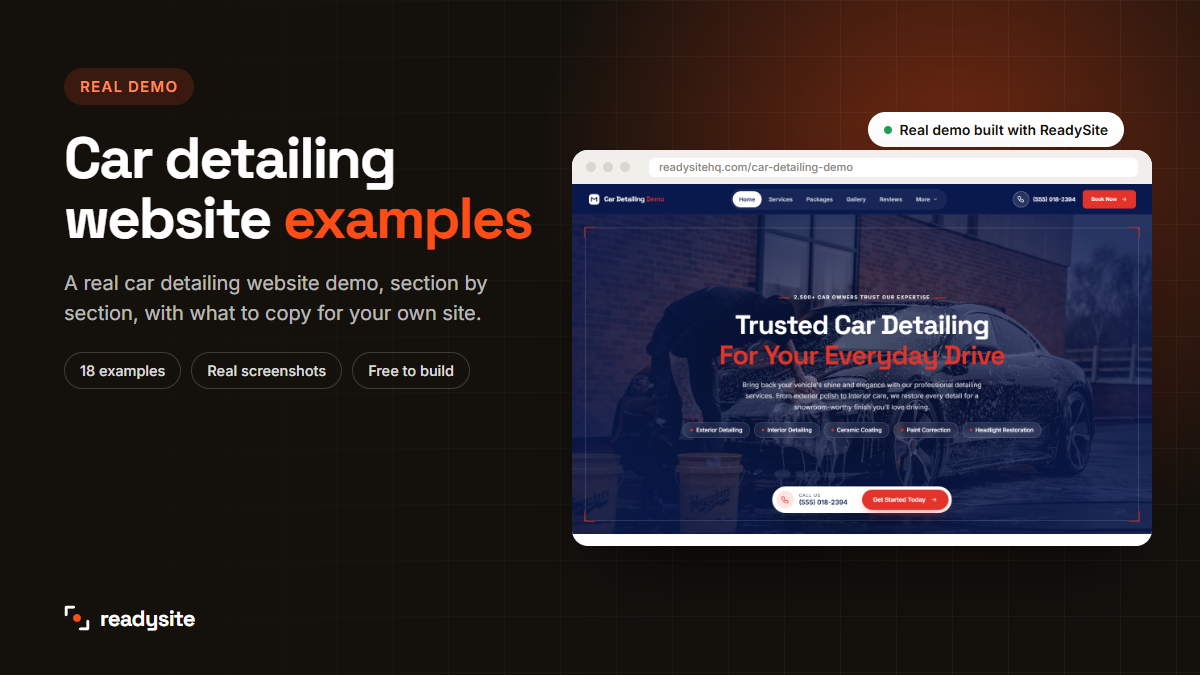
Looking for the best detailing websites to learn from before you build your own? The fastest way to plan a great site is to look at one that already works and copy what makes it good. In this guide we walk through a real car detailing website demo, section by section, with 18 free examples and designs you can use for your own detailing business.
Every screenshot comes from our car detailing website demo, built with ReadySite in under a minute and then customised. The business in the demo is a sample, so the names, reviews and numbers are placeholders, but the layout, structure and ideas are exactly what you’d use on a real detailing website.
In this guide
Why look at car detailing website examples first?
Most detailers who build a website start with a blank page and a lot of guesswork. What should go at the top? Should prices be shown? How many photos? Looking at good car detailing website examples first answers those questions in minutes.
- You see what customers expect. Packages, before-and-after photos, reviews and an easy way to book.
- You avoid common mistakes, like hiding the phone number or burying prices.
- You save time. Instead of designing every section yourself, you copy a proven structure and add your own details.
Why one detailing website instead of a list of random sites? Because a list of car detailing website examples from different businesses shows you lots of styles but little about how the pieces fit together. Walking through one complete car detailing website, from the first screen to the contact form, shows you the order, the flow and how each section hands the visitor on to the next. That’s what turns a nice-looking site into one that books jobs.
If you want the theory behind each section, read our guide to car detailing website design. This post is the practical companion: real examples you can look at and copy.
The whole demo at a glance
Here’s the full demo on one screen. It’s a single long page, which works well for detailers because visitors can scroll through everything without hunting through menus.
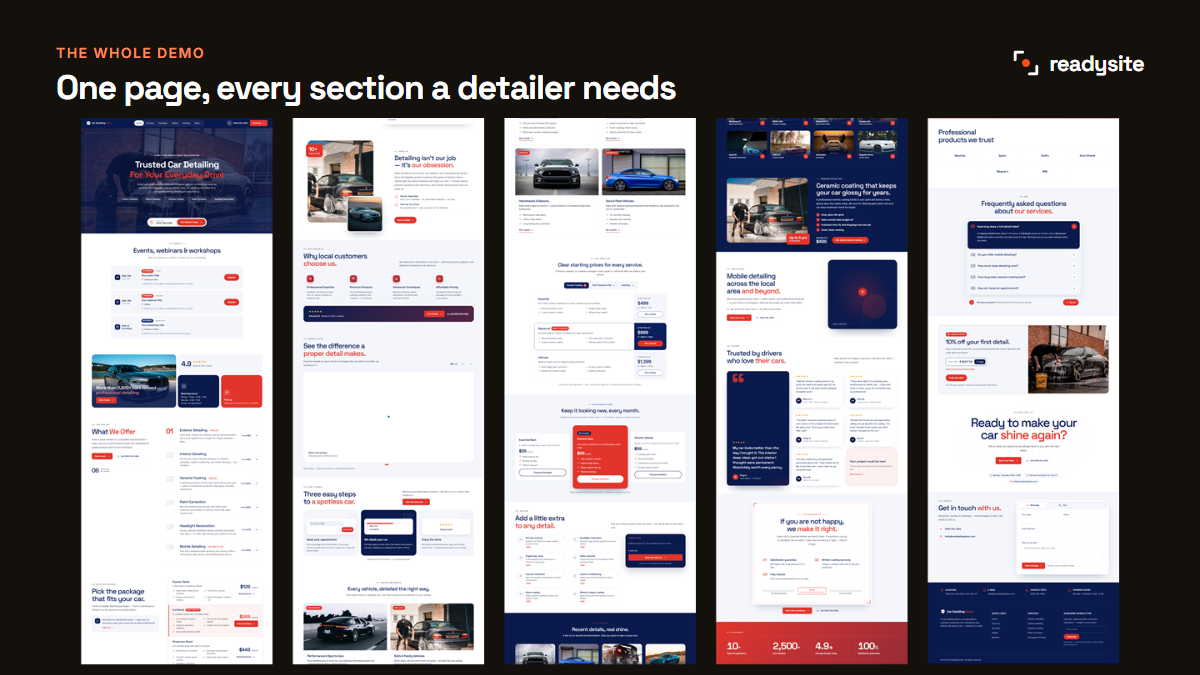
From top to bottom it follows the questions a customer asks: what do you do, can I trust you, what does it cost, what do your results look like, do you cover my area, and how do I book? Let’s look at each car detailing website example in turn.
Example 1: The hero section
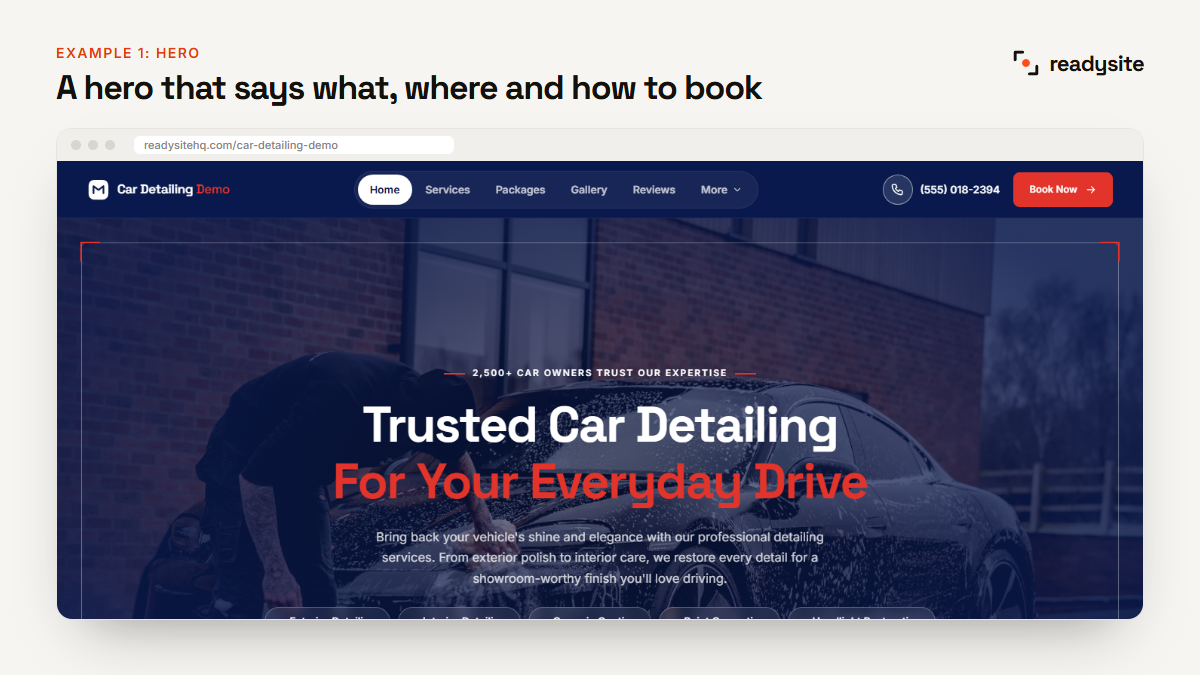
What it does well: the headline says exactly what the business does, “Trusted Car Detailing For Your Everyday Drive”, over a real photo of a car being washed. Below it, a short line explains the result, and service chips like Ceramic Coating and Paint Correction show the range at a glance. A call box and a “Get Started Today” button make the next step obvious.
How to copy it: put your service and town in the headline, use a real photo of your own work, and give visitors two clear choices: call or book.
Example 2: The trust bar
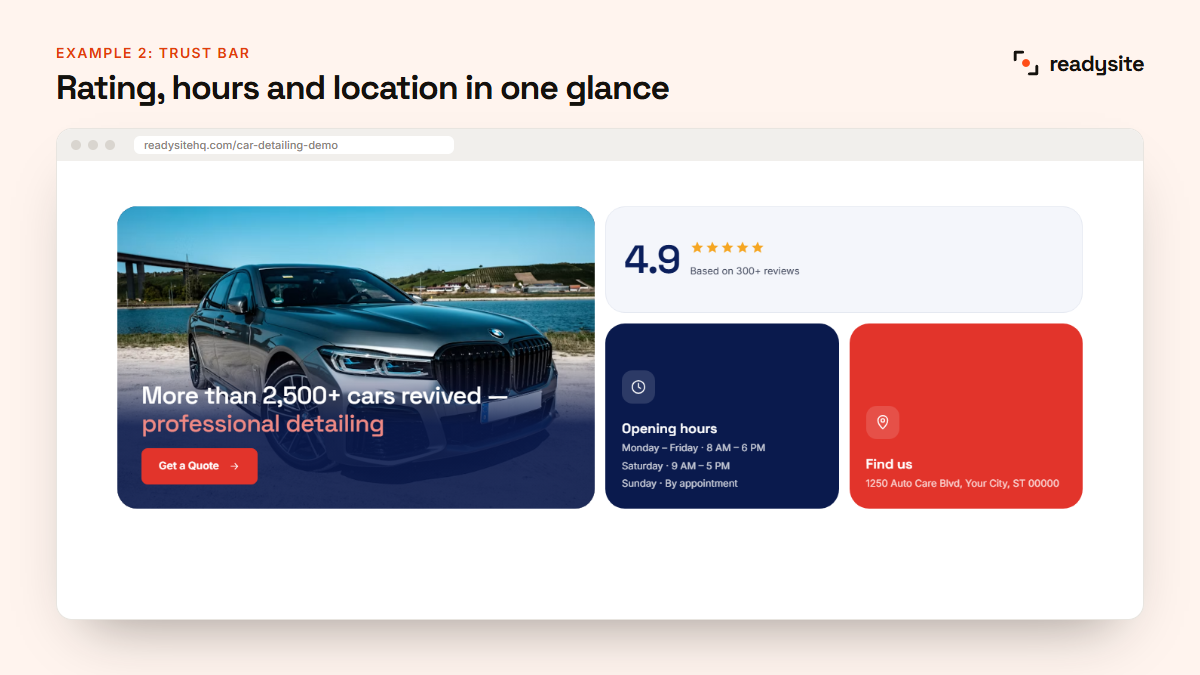
What it does well: straight after the hero, a compact block shows the rating, opening hours and location. A visitor knows within seconds that the business is real, open and nearby.
How to copy it: only use real numbers. If you don’t have many reviews yet, show facts like “Fully insured”, “We come to you” or “Open 7 days” instead.
Example 3: The services list
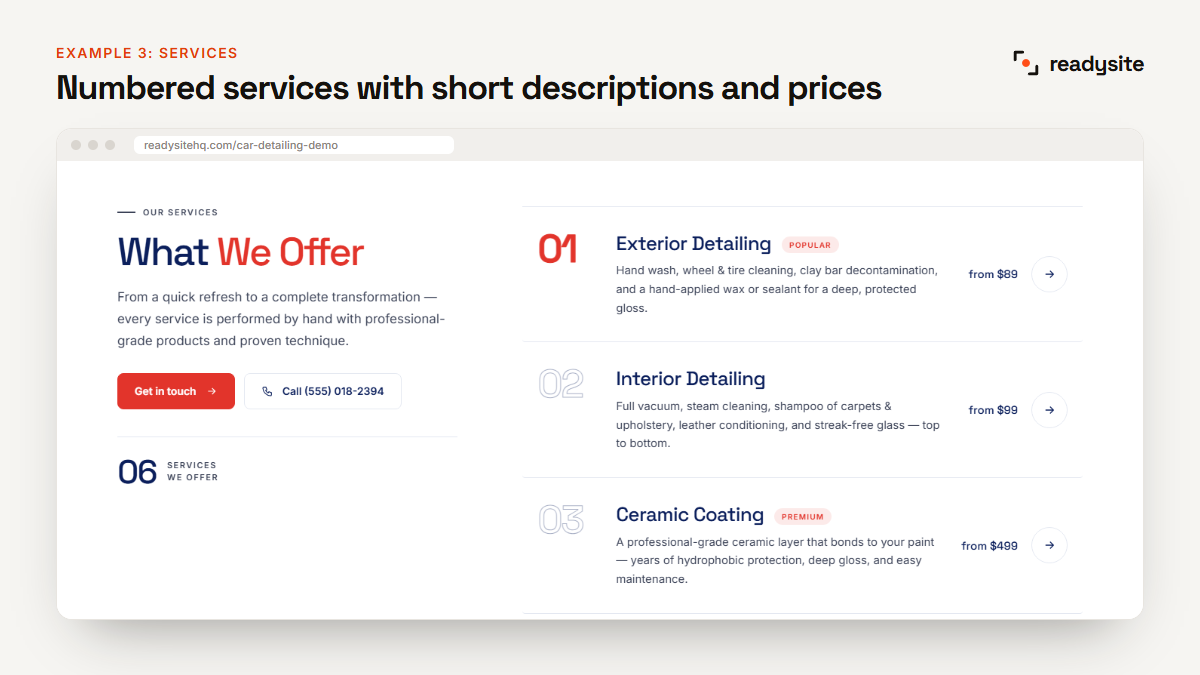
What it does well: each service is numbered, named the way customers search, such as Exterior Detailing, Interior Detailing and Ceramic Coating, and given a one-line description and a “from” price. Popular services get a small badge.
How to copy it: keep descriptions to one or two sentences about the result, and always show a starting price.
Example 4: Detailing packages
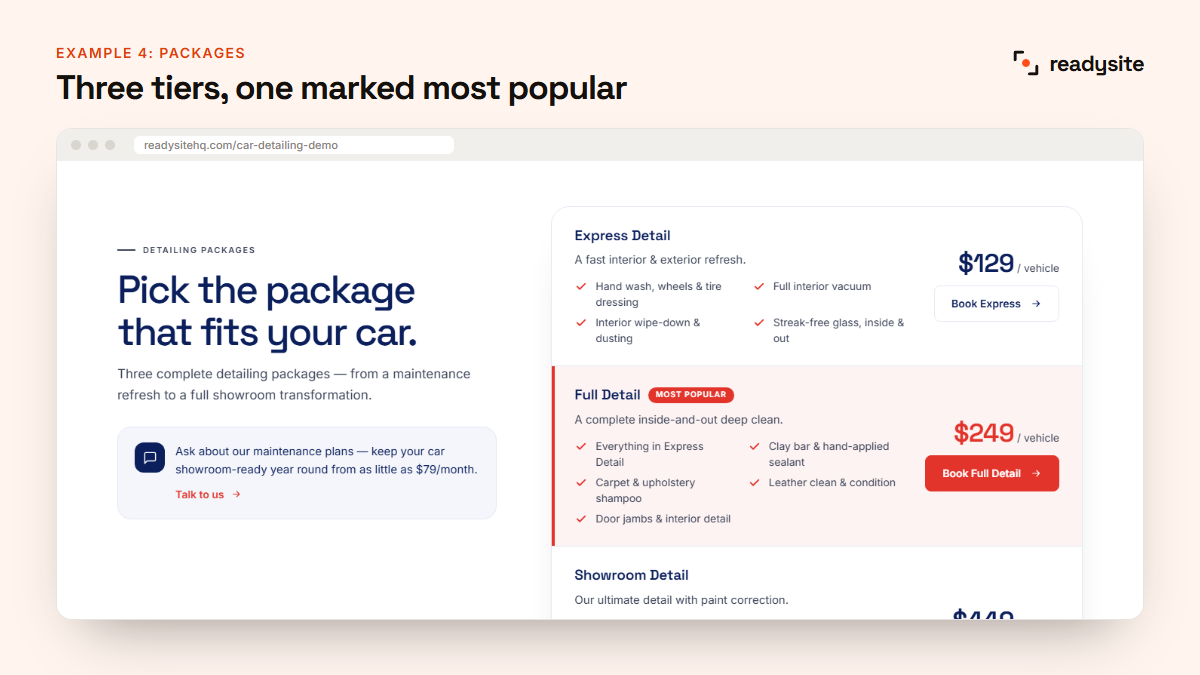
What it does well: three packages, Express, Full and Showroom, each build on the one before. The middle package is highlighted as “Most popular” with a bold button, which is the one most customers choose.
How to copy it: use three tiers, list four to six things in each, and make your best-value package the highlighted one. Our guide to car detailing prices shows how to set the numbers.
Example 5: A full price list with tabs
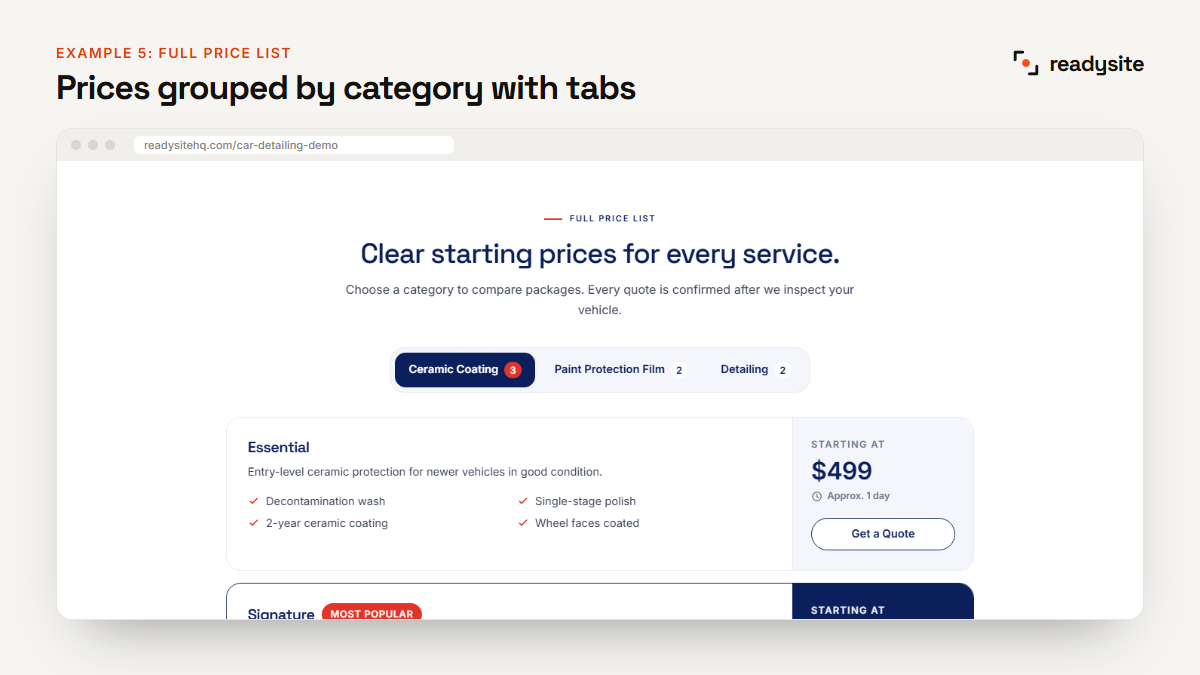
What it does well: for bigger services like ceramic coating and paint protection film, the price list is split into tabs. Each option shows a “starting at” price and how long the job takes, which helps justify premium prices.
How to copy it: if you offer several premium services, group them by category so the page doesn’t become one long list. Add a note that the final quote is confirmed after you see the car.
Example 6: Vehicles you work on
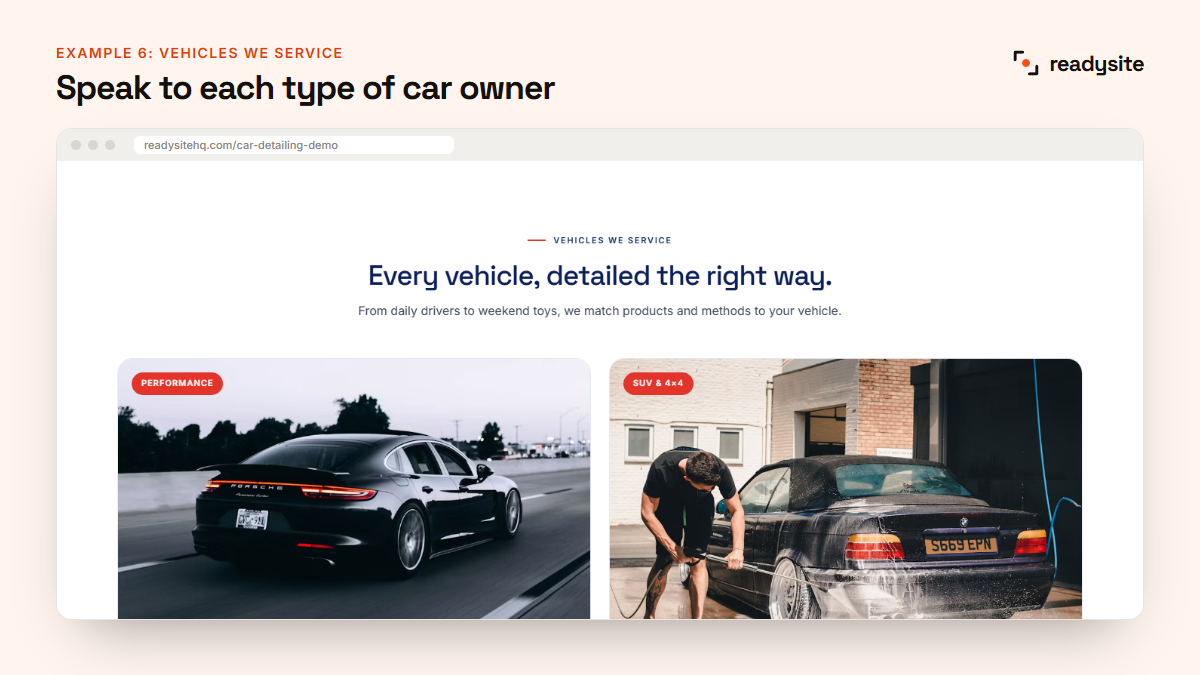
What it does well: separate cards for performance cars, SUVs and family cars, everyday cars and commercial vans speak directly to each type of owner, with benefits that matter to them.
How to copy it: add this section if you serve different kinds of customers. A fleet manager and a sports car enthusiast care about very different things.
Example 7: Maintenance plans
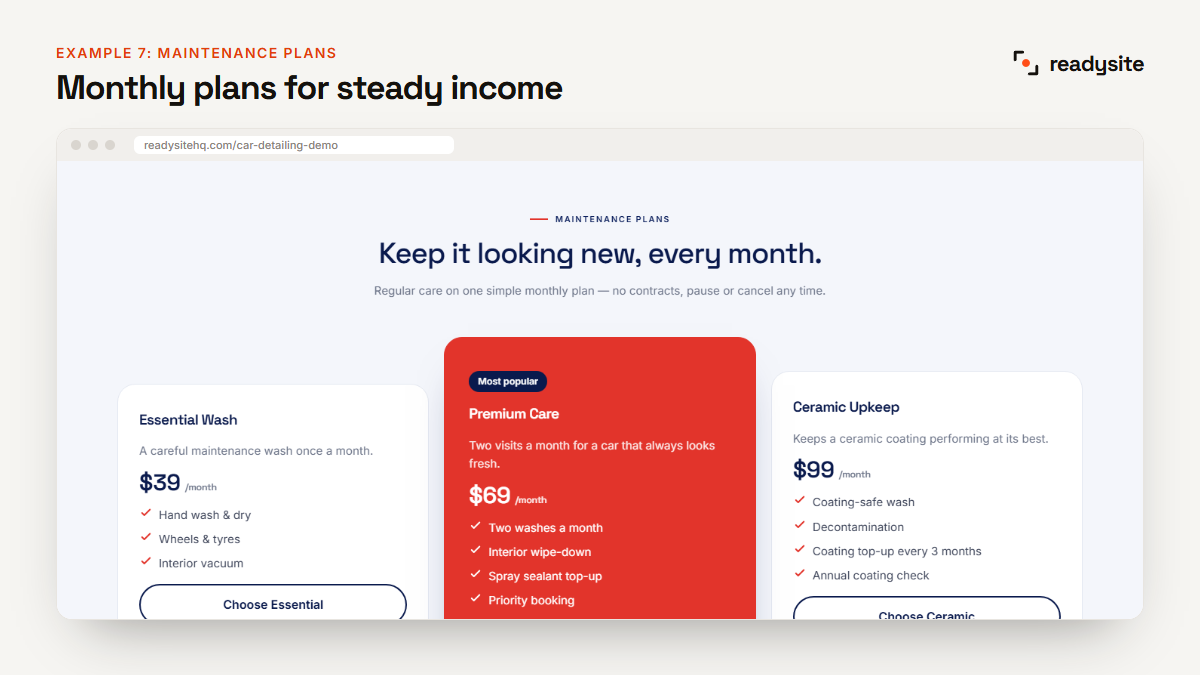
What it does well: three monthly plans with clear prices turn one-off jobs into regular income. The middle plan stands out in the brand colour.
How to copy it: offer a simple monthly wash or upkeep plan and mention it at handover, when the customer is happiest with their car.
Example 8: Add-ons
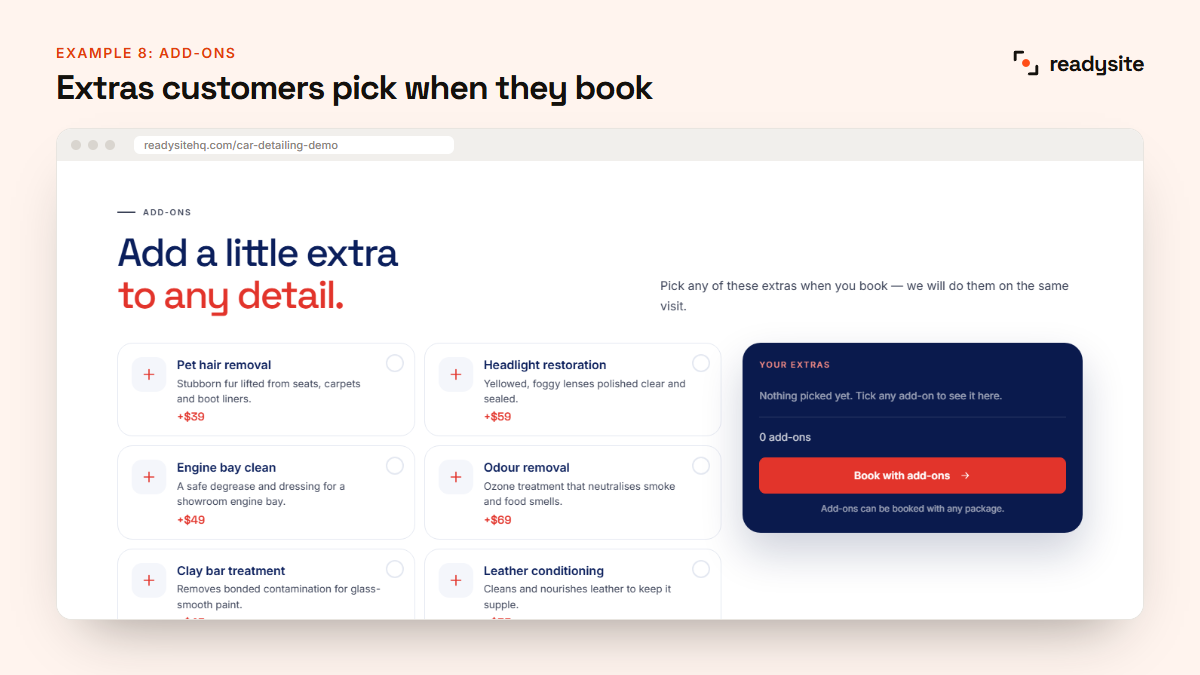
What it does well: extras like pet hair removal, engine bay cleaning, odour removal and headlight restoration are listed with fixed prices, and customers can pick them while booking.
How to copy it: choose your five to eight most popular extras and give each a short description and price.
Example 9: The gallery
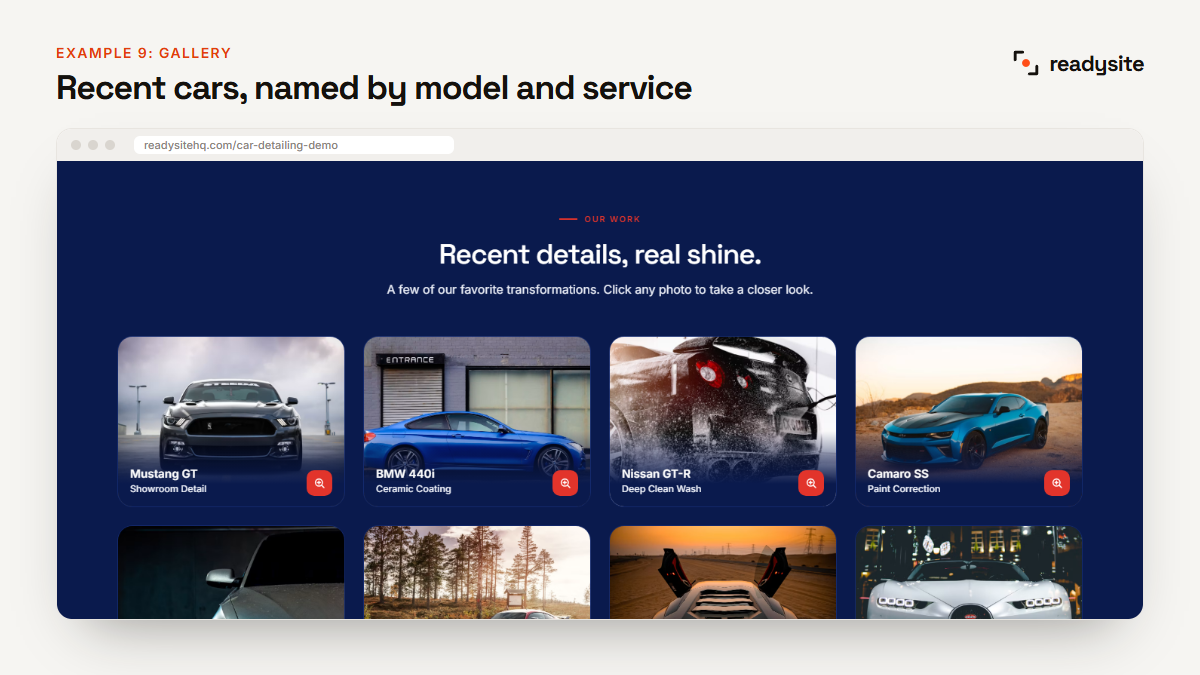
What it does well: a dark grid of recent cars, each labelled with the model and the service, such as “BMW 440i, Ceramic Coating”. It shows both quality and variety.
How to copy it: use your own photos, caption every one with the car and the service, and add new ones every month.
Example 10: The about section
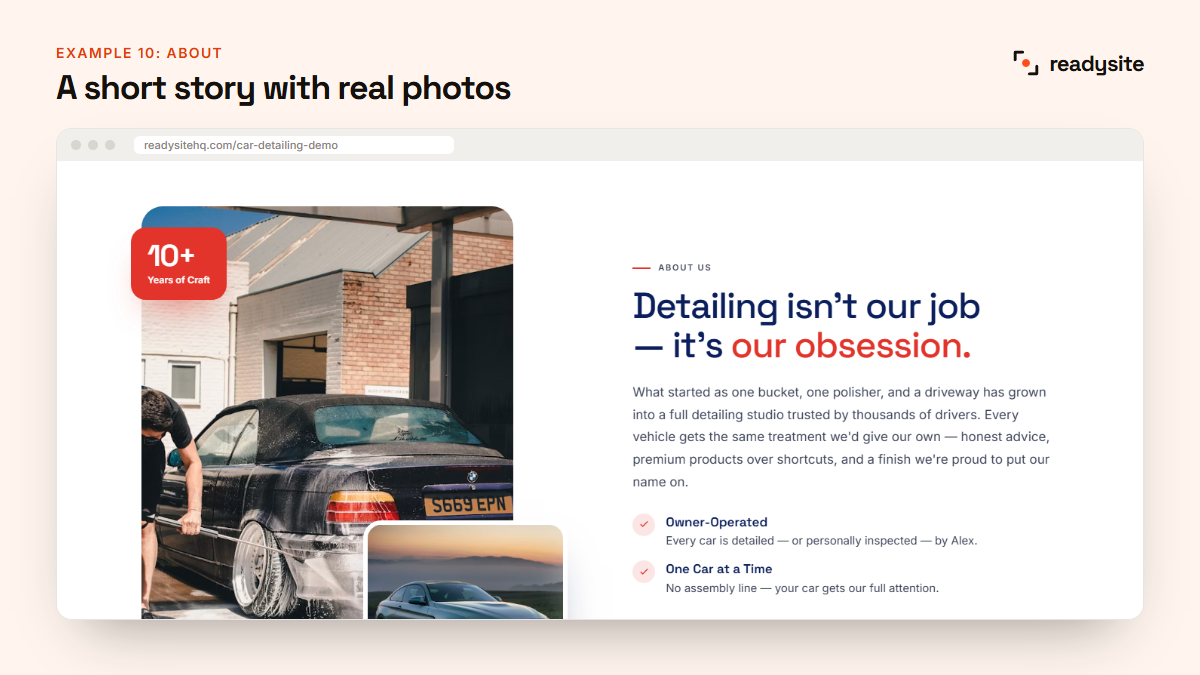
What it does well: a short, personal story with real photos of the work and a couple of key facts. It makes the business feel human, which matters when you’re trusting someone with your car.
How to copy it: two or three sentences about who you are and why you care, plus a photo of you, your van or your unit.
Example 11: Why choose us
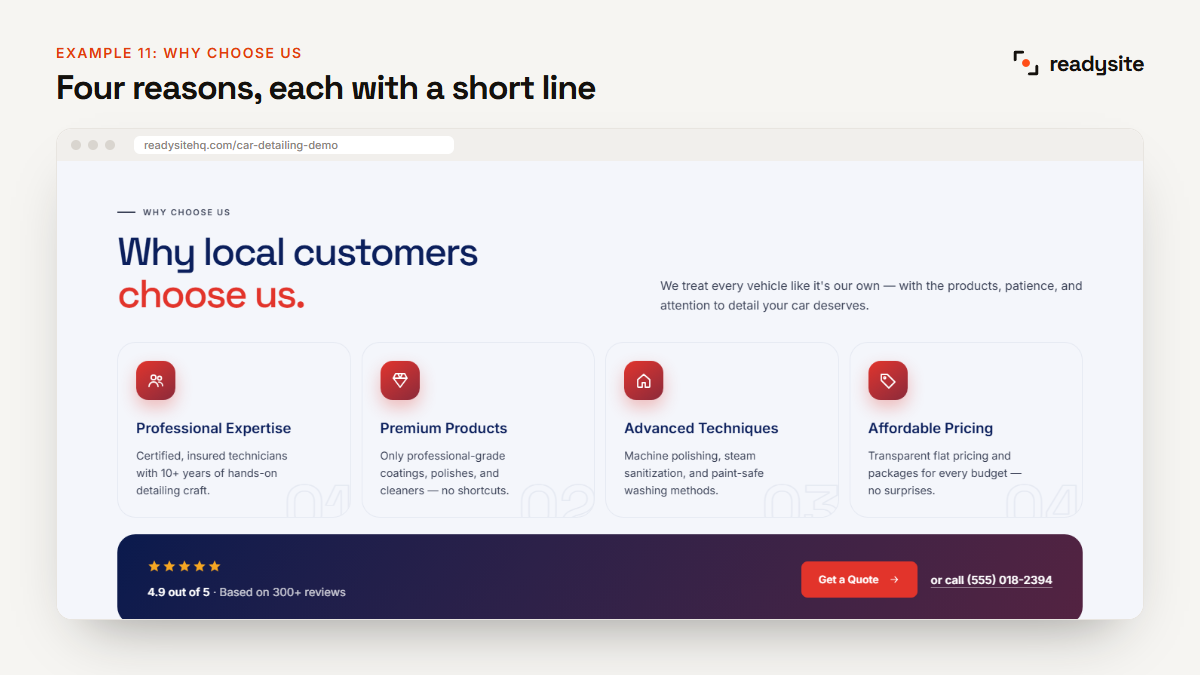
What it does well: four reasons, each with an icon and one line: expertise, premium products, advanced techniques and fair pricing. A rating strip and buttons underneath turn interest into action.
How to copy it: keep it to three or four specific reasons. “We use pH-neutral, paint-safe products” beats “We use the best products”.
Example 12: How it works
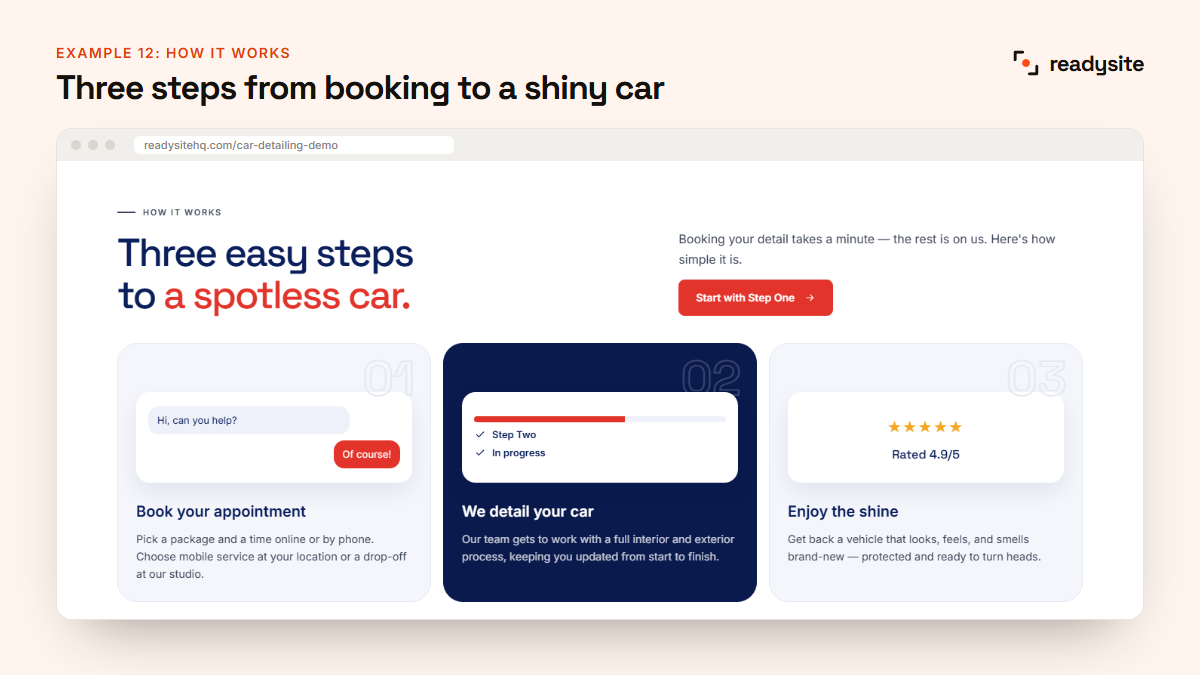
What it does well: three simple steps, book, we detail, you enjoy, remove the uncertainty for first-time customers. Small illustrations make each step easy to picture.
How to copy it: mention whether you’re mobile or in a studio, and what the customer needs to prepare.
Example 13: Reviews
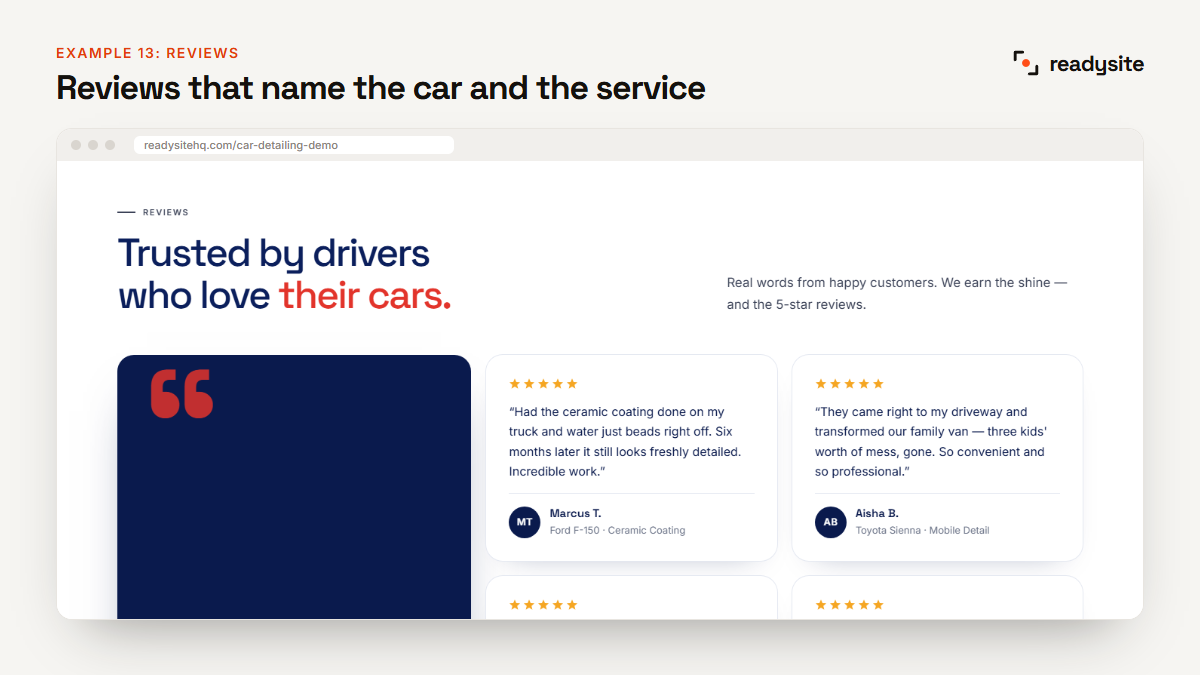
What it does well: one large featured review plus several short ones, each naming the car and the service, like “Ford F-150, Ceramic Coating”. Specific reviews are far more believable than generic praise.
How to copy it: ask every happy customer for a Google review, then feature the best ones with their car and service. Never use made-up reviews on a real site. Reviews matter: BrightLocal’s 2025 survey found only 4% of consumers never read online business reviews.
Example 14: Service area
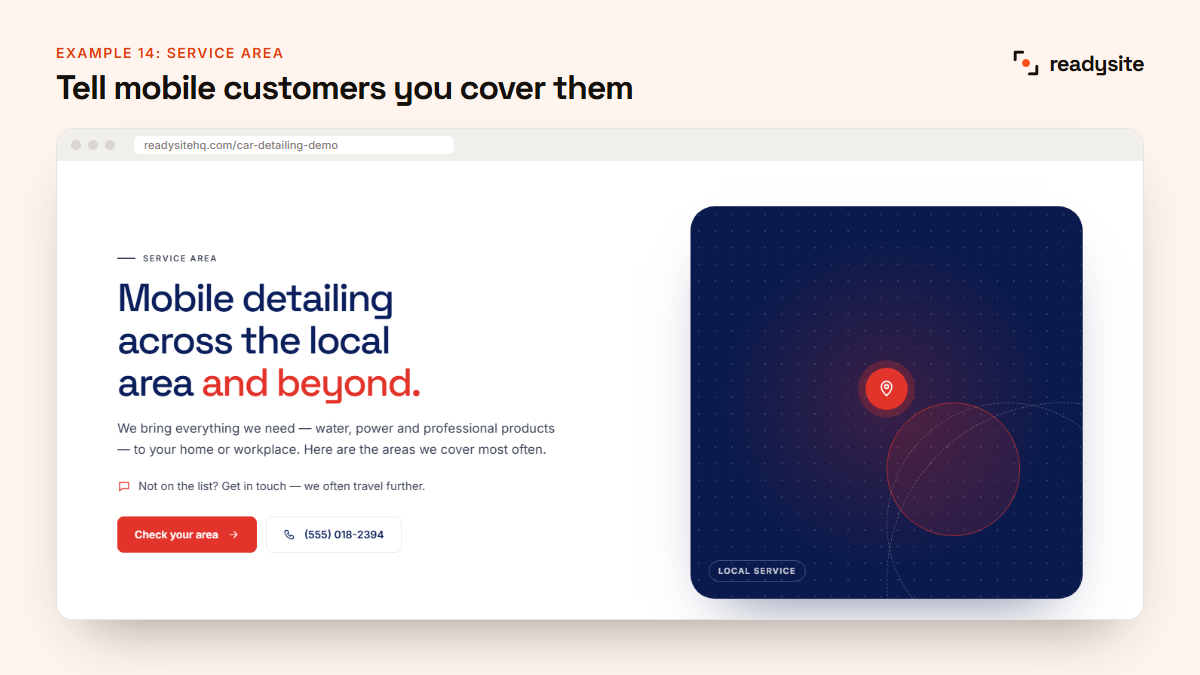
What it does well: a clear headline for mobile customers, a short explanation of what the detailer brings, and buttons to check the area or call. On a real site, the towns covered are listed here too.
How to copy it: list every town you cover by name. It helps customers and Google. Our car detailing SEO guide explains why.
Example 15: FAQ
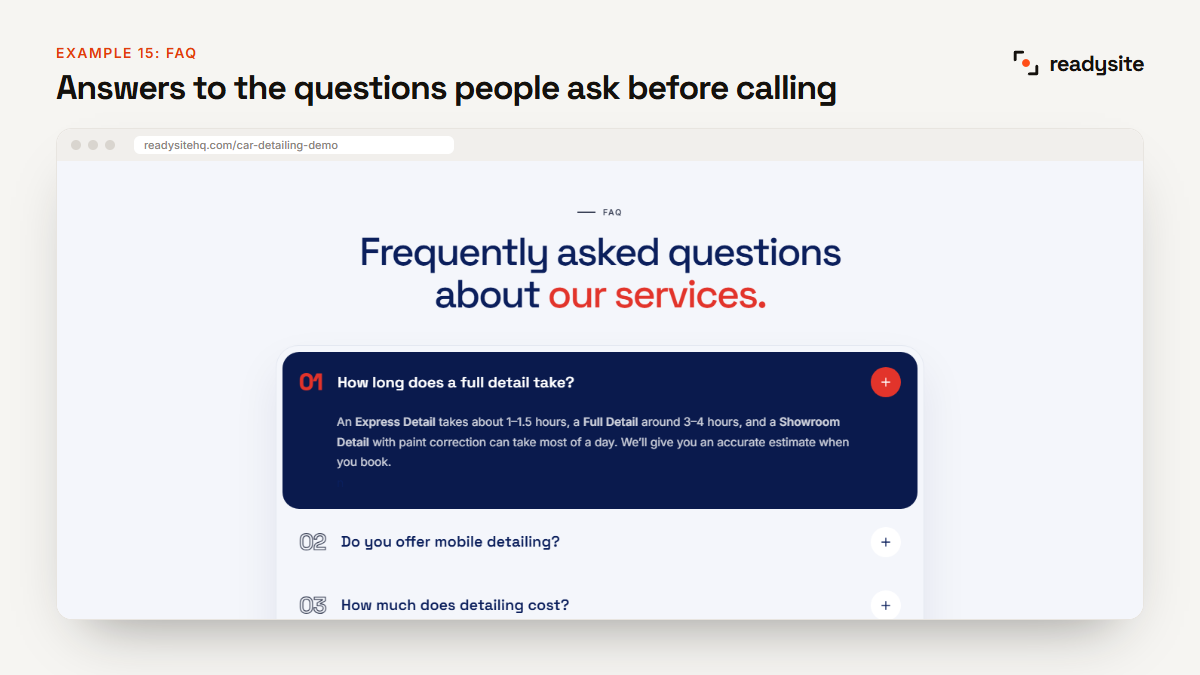
What it does well: a clean accordion answers the questions people ask before calling: how long a full detail takes, mobile service, cost, ceramic coating and booking.
How to copy it: use the exact questions customers already send you, and keep each answer to two or three sentences.
Example 16: Special offer
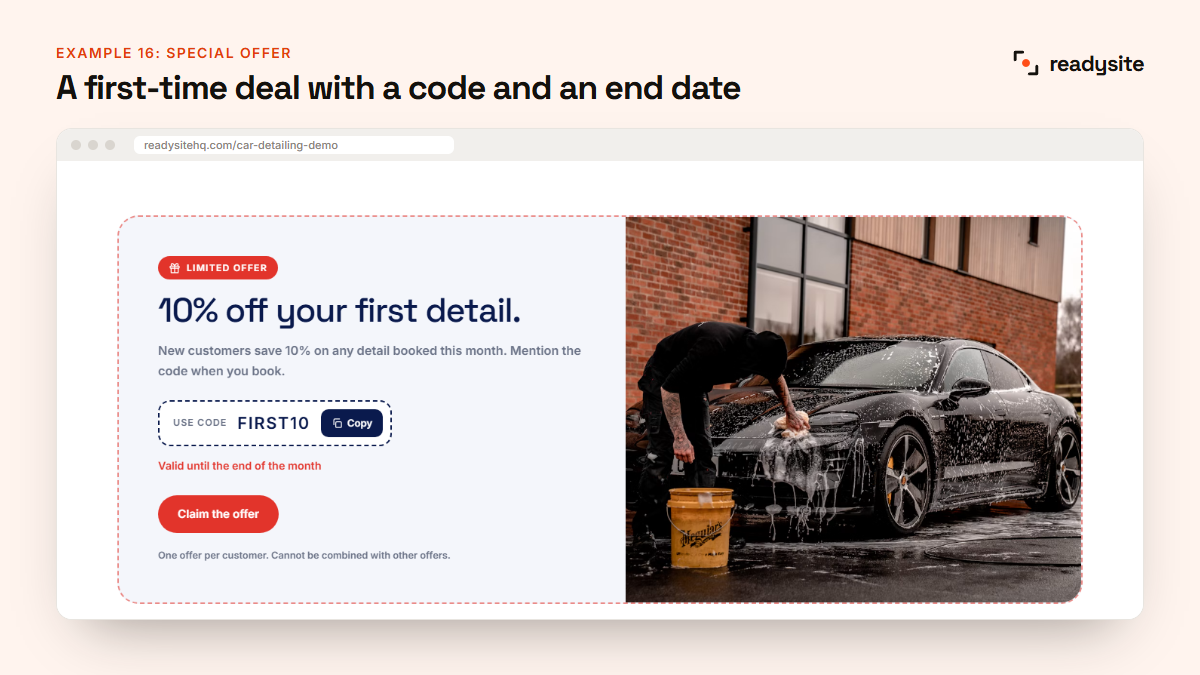
What it does well: a simple first-time deal, 10% off a first detail, with a code, an end date and a big button. It gives visitors a reason to book now.
How to copy it: run one clear offer at a time and update it every month or season. See more ideas in our guide to car detailing marketing.
Example 17: Contact
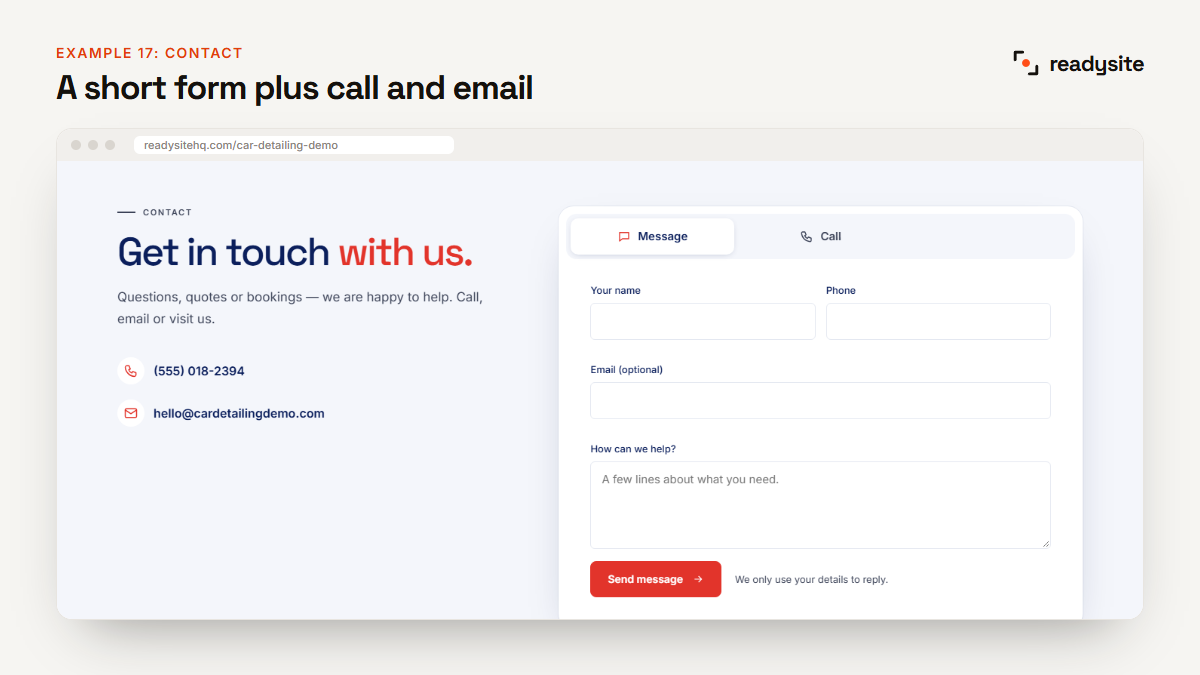
What it does well: a short form with name, phone and message, plus a switch to call instead, with the phone number and email shown alongside. It’s quick to fill in on a phone.
How to copy it: ask only for what you need, and offer more than one way to get in touch, such as a form, tap-to-call and WhatsApp.
Example 18: The mobile view
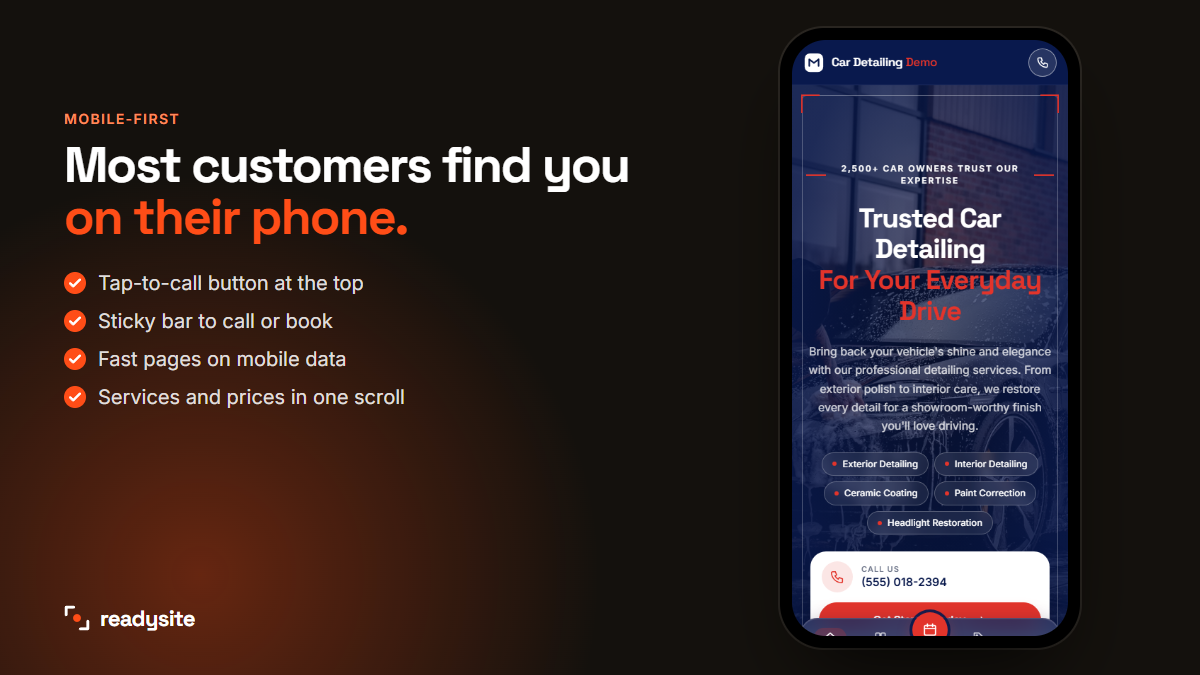
What it does well: on a phone, the layout stacks neatly, the call button stays in the header, and a sticky bar at the bottom keeps call and book one tap away. Most detailing customers will see your site this way.
How to copy it: always check your car detailing website on your own phone before you share it. Tap every button, fill in the form, and make sure the page loads quickly on mobile data. A detailing website that’s slow or fiddly on a phone loses customers before they ever see your work.
What the best detailing websites have in common
Look across the best detailing websites and these 18 free examples, and a few patterns stand out. These are the things that make a detailing website win bookings:
- Clarity first. Every section answers one question in a few seconds.
- Prices are visible, at least as “from” prices.
- Real proof: photos, specific reviews and honest numbers.
- One clear action, repeated after key sections.
- Built for phones, with tap-to-call always within reach.
- One colour, used well. A strong accent colour on buttons and highlights, with calm backgrounds everywhere else.
Which car detailing website example fits your business?
Not every detailer needs every section. Use the car detailing website examples above as a menu, and pick based on how you work.
Mobile detailers
Lead with convenience. Put the service area high on the page, list your towns, and make WhatsApp and tap-to-call easy to find. Examples 1, 2, 4, 9, 13, 14 and 18 matter most for you. A maintenance plan (example 7) works well too, because you can book repeat visits on the same streets.
Shops and studios
Show your space and equipment. Use the about section (example 10) for photos of your unit and lighting, add your address and a map, and use the tabbed price list (example 5) for premium work like paint correction and coatings.
Ceramic coating and paint protection specialists
Your customers compare quality, not just price. Make the full price list with durability options (example 5), the vehicles section (example 6) and detailed reviews (example 13) the heart of your detailing website, and explain the prep work included in every coating.
Fleet and commercial detailers
Businesses want reliability and simple invoicing. Use the vehicles section to speak to vans and company cars, list your fleet package clearly, and add a short FAQ about scheduling, invoicing and how many vehicles you can do per visit.
Compare your site with these examples
Already have a website? Open it on your phone next to the demo and check these points:
- Does your hero say what you do and where, in under 12 words?
- Can a visitor see a price within one scroll?
- Are your photos your own work, with the car and service named?
- Do your reviews mention specific cars and services?
- Are the towns you cover listed by name?
- Is there a booking or call button after every major section?
- Does the site load quickly on mobile data?
If you answered “no” to two or more, your detailing website is probably losing bookings. Use the matching example above to fix each gap.
How to build a website like this demo
You can build a site like this from scratch in a general website builder, but it takes days to plan the sections and write the content. With ReadySite it takes under a minute:
- Choose “Car detailing” as your industry.
- Add your business name, phone, town and services.
- Upload your logo and pick a style.
- See your website, then save it for free.
- Swap in your own photos, prices and reviews.
Every section above can be switched to a different design with one click, so your site won’t look like a copy of the demo. The Free plan costs $0 and gives you a complete website on a readysitehq.com address. For the full walkthrough, read how to build a free car detailing website.
Frequently asked questions
Can I use this demo as a template for my business?
Yes. When you choose car detailing in ReadySite, you get the same kind of layout filled in with your own business name, phone, town and services. You then replace the sample photos and reviews with your own.
Are the reviews and numbers in the demo real?
No. The demo is a sample business, so its reviews, ratings and numbers are placeholders to show the layout. On your own site, only use real reviews and real figures.
How many sections should my detailing website have?
Most detailers do well with 12 to 15 sections on one page: hero, trust bar, services, packages, before and after, gallery, how it works, reviews, service area, FAQ and contact, plus extras like an offer or maintenance plans.
Do I need a designer to get a site like this?
No. ReadySite builds the layout for you, and you can change text, photos and prices by clicking on them. If you’d rather not do it yourself, our team can build it for you for $299 one time, with a free preview before you pay.
See the demo, then build yours
You don’t need to copy every example. Start with the essentials, a clear hero, prices, real photos, reviews and an easy way to book, then add extras like plans and offers as your business grows.
The best way to understand these detailing website examples and designs is to scroll through the real thing. Open the car detailing demo, then build your own free detailing website in under a minute.