Local Business Website Builder: 10 Features Your Site Actually Needs
The features that matter for plumbers, cleaners, salons and detailers, and how to tell a local business website builder from a general one.


A local business website builder is a website builder made for businesses that serve customers in one town or region: plumbers, cleaners, roofers, salons, movers, landscapers and car detailers. Its job isn’t to sell products in a shopping cart or show off a design portfolio. It’s to turn someone nearby who needs help today into a phone call, a message or a quote request.
That sounds obvious, but many popular builders are designed for something else, and you end up bolting local features on yourself. This guide walks through ten features a local business website actually needs, why each one matters, and how to tell a builder made for local trades from a general one. Use it as a checklist whether you’re starting from nothing or replacing a site that never brought in much work.
What A Local Business Website Builder Should Do
Before looking at features, it helps to be clear on what the site is for. A local business website has three jobs: get people to contact you, show them you work in their area, and stay easy enough to update that it never goes stale. Every feature below serves one of those jobs.
Turn Visitors Into Calls And Quotes
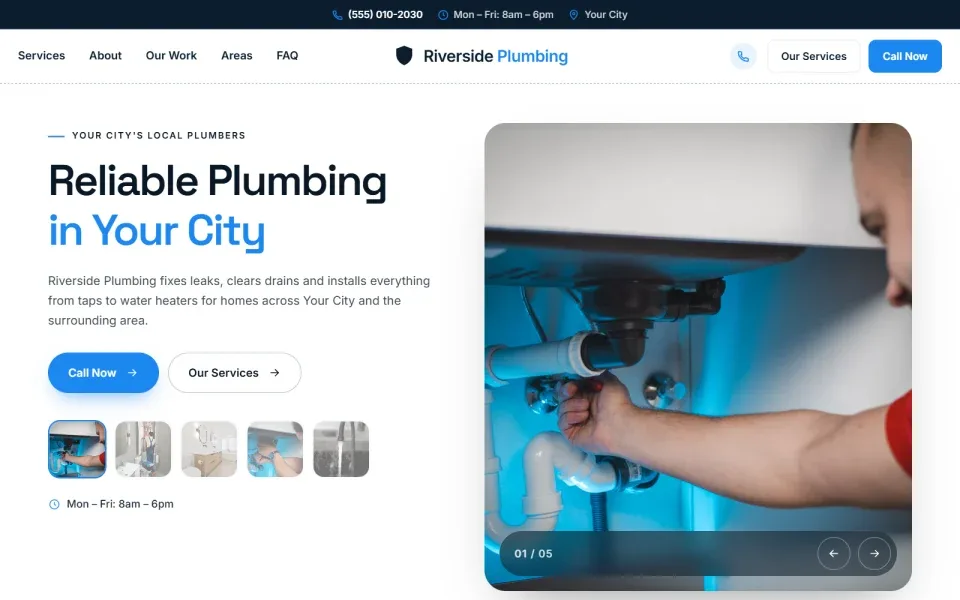
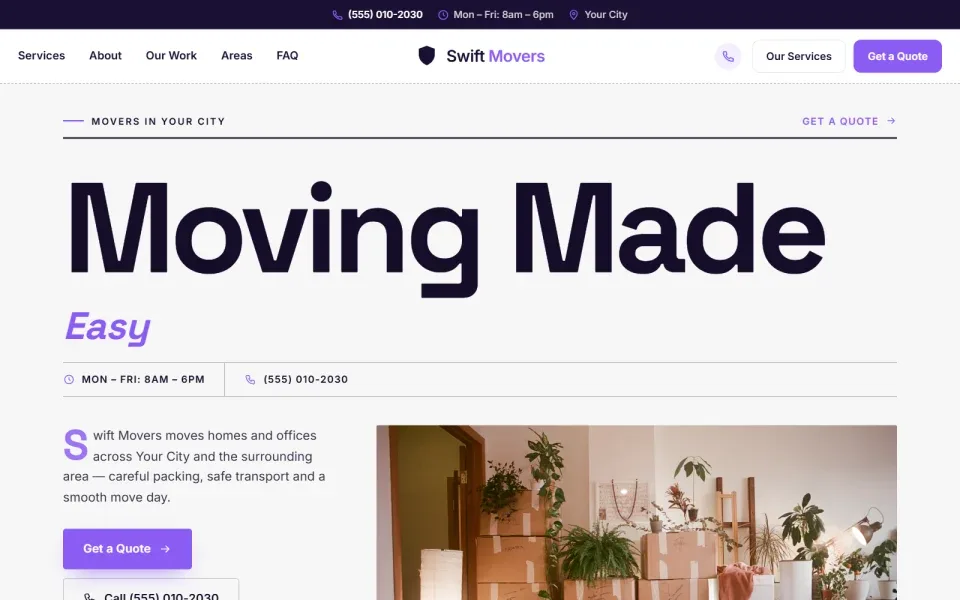
Most people who land on a plumber’s or cleaner’s site have a problem they want solved soon. They don’t want to browse. They want to see that you do the job, roughly where you work, and how to reach you. A good local business website builder puts the call button, the quote form and your phone number in plain sight from the first screen, and repeats them as the visitor scrolls. Everything else on the page is there to give them the confidence to tap.
This is the biggest difference from a site built to look impressive. A local business website can be plain and still bring in steady work, as long as the next step is obvious. When you compare tools, ask how many taps it takes a visitor on a phone to reach you. With the right website builder, the answer should be one.
Show Customers Where You Work
Local customers want to know one thing early: do you come to me? A site that names your towns, shows a service area or map, and lists your hours answers that before they have to ask. It also helps search engines understand where you do business. A general website builder rarely prompts you for any of this. A builder made for local service businesses treats it as a standard section, like services or contact.
Stay Easy To Update Yourself
Prices change, you add a service, you finally get good photos of your work. If every change means calling a developer or wrestling with a complicated editor, the site goes stale. Look for a visual editor where you click on text or a photo and change it, with no code. A simple dashboard that shows your site, your enquiries and what’s left to finish makes it far more likely you’ll keep things current. A local business website that was accurate last year and wrong today costs you trust.

Done-for-you websites
Want your website built for you?
ReadySite writes the wording, builds up to 5 pages and sets up your Google Business Profile. $299 one time, and you see a free preview before you pay.
Which Contact Features Does A Local Business Website Need?
The first four features are about getting in touch. They’re the ones that turn a visit into work, so they matter more than colors, fonts or animations. If a local business website builder gets these wrong, nothing else makes up for it.
1. Click-To-Call And A Sticky Call Bar
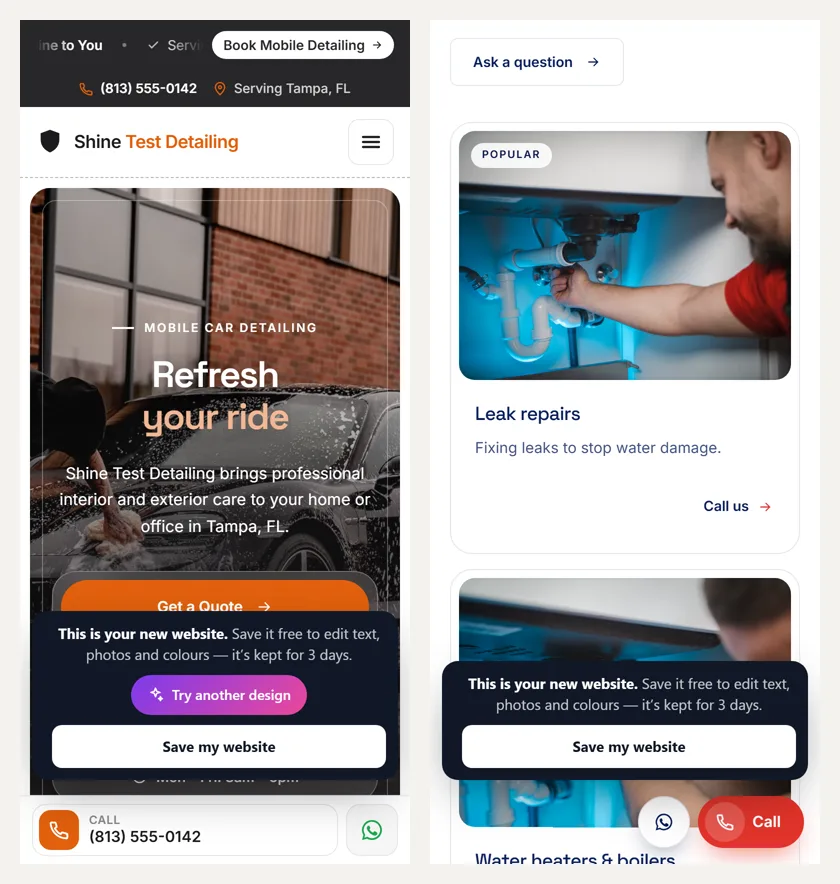
On a phone, your number should be a button. One tap, and the phone dials you. Typing a number from a screen into a keypad is the kind of small hassle that sends people back to the search results. A sticky call bar takes this a step further: it stays fixed at the bottom of the screen as the visitor scrolls, so the call button is always one thumb away. For trades where most enquiries are calls, this may be the single most useful feature on the site.
Test it yourself once your site is live. Open your local business website on your own phone, scroll to the middle of the page and try to call. If you have to scroll back up to find the number, the call bar is missing or hidden. Make sure the number is one you actually answer during working hours, and set up a voicemail greeting that says your business name.

2. A WhatsApp Or Message Button
Not everyone wants to talk. Some customers would rather send a quick message with a photo of the leaking pipe or the overgrown hedge, especially if they’re at work. A WhatsApp button opens a chat with you straight from the site, and you can reply when you’re between jobs. For many owners it’s also an easier way to give a rough price, because the customer has already shown you the problem.
3. A Short Quote Or Booking Form
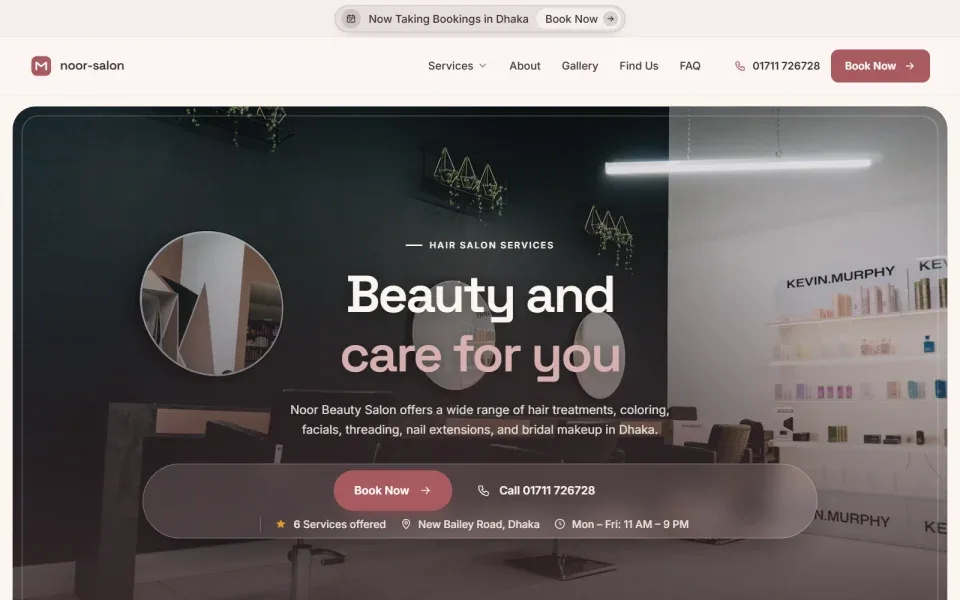
A quote form catches the people who don’t want to call or message, and the ones browsing late at night. Keep it short: name, phone or email, what they need and where. Every extra field gives someone a reason to stop. Salons, groomers and other businesses with appointments may want a booking button instead, or as well. Either way, the form should work smoothly on a phone and tell the customer what happens next.
4. An Enquiry Inbox
Form submissions need to land somewhere you’ll actually see them. Some builders just email them to an address you check once a week. A local business website builder should give you an enquiry inbox, so every quote request sits in one place with the details the customer gave. Pair it with a notification you’ll notice on your phone, and reply quickly. A customer who asked three businesses for a quote may well go with the first one that answers.
Check where enquiries go before you pick a website builder. If they only arrive by email, make sure that inbox is one you open every day, and test the form yourself with a fake request.
What We Found On Our Example Sites
We loaded six ReadySite example sites, including a detailer, a plumber and a roofer, on a phone-sized screen on October 28, 2026. All six showed a call button on the first screen, and all six still had one in view after we scrolled down three screens, because the call bar stays pinned. That is one tap to call from anywhere on the page. The pages weighed 726 to 1,536 KB with 43 to 49 files each, and none of them jumped around while loading.
Call, message, form and inbox work as a set. Together they make sure that whatever way a customer prefers to reach you, the path is short and the enquiry doesn’t get lost on your side.
Local Features That Help Customers Trust You
Once someone knows how to reach you, they need a reason to choose you over the other tabs they have open. These three features answer the questions people ask before they let a stranger into their home or hand over their car keys.
5. Service Area, Map And Opening Hours
If you go to your customers, list the towns and neighborhoods you cover in plain words. “Serving Springfield, Riverside and Oak Park” is clearer than a vague “and surrounding areas.” If customers come to you, as with a salon or a bakery, show a map, your address and your opening hours. Both versions save you calls from people outside your area, and both help customers feel sure you’re the right fit before they get in touch.
A local business website builder should give you a ready-made section for this, so you’re filling in towns or hours rather than designing a layout. Keep it up to date: if you start covering a new town or change your Saturday hours, change the site the same day.
6. A Reviews Section With Real Reviews
Reviews from real customers do more for trust than anything you can write about yourself. Your local business website should have a clear place to show a handful of them, with first names and the service they had. Use only genuine reviews. Never write your own, buy them, or offer discounts in exchange for them, and ask every customer rather than only the happy ones. If your builder fills the section with sample reviews, replace them with real ones before you share the site.
Our guides to showing Google reviews on your website and getting more reviews from happy customers cover how to collect and display them honestly. The second is written for detailers, but the steps work for any local trade.
7. A Link To Your Google Business Profile
Many local customers will find you on Google Maps before they ever see your website, so the two should point at each other. Add your website address to your Google Business Profile, and link to the profile from your site so people can read your reviews there and get directions. Google’s help page on improving your local ranking says businesses with complete and accurate info are more likely to show up in local results, and that reviews and helpful replies can help you stand out. It also says there’s no way to pay for a better local ranking.
Service area, reviews and a profile link make a stranger feel less like a stranger. They’re simple to add to any local business website, and they often do more for your enquiries than any design change.
Search And Setup Features In A Local Business Website Builder
The last three features are less visible but just as important. They help people find you, make the site work where your customers actually use it, and give you an address that looks like a real business. A good local business website builder should make all three straightforward.
8. Local SEO Basics Built In
You don’t need to become an SEO expert, but a few basics matter. Put your main service and your town in your page title and headline, such as “Emergency Plumber in Riverside.” Mention the areas you serve in normal sentences. Use exactly the same business name, address and phone number on your site, your Google Business Profile and anywhere else you’re listed. Google’s guidelines for representing your business say your name should match the real-world name customers know, so keep it consistent everywhere.
None of this guarantees a place at the top of the results. It just makes sure search engines and customers can tell clearly who you are, what you do and where.
9. Designed For Phones First
Most people looking for a local service search on a phone. A local business website builder should design for that screen first: big buttons you can tap with a thumb, short paragraphs, a fast-loading hero photo and no pop-ups covering the call button. Check any builder’s templates on your own phone before you choose. If you have to pinch and zoom to read the services or find the number, keep looking. Our guide to fast website design covers what keeps a page quick on mobile.
10. Your Own Domain When You’re Ready
A free address is a fine way to start, but your own domain, such as yourbusiness.com, looks more established on a van, a business card or a yard sign. It’s also easier for customers to remember. Check what a builder charges to connect a domain, whether the domain itself is included or bought separately, and whether someone will help you connect it. Our guide to getting a free website with a custom domain explains the options.
Search basics, a phone-friendly layout and your own address are the features that make a site feel finished. Get these right and the rest of your marketing has somewhere solid to send people.
Local Business Website Builder Versus A General Website Builder
General builders like Wix, Squarespace and WordPress.com are capable, popular tools. The question isn’t whether they’re good, it’s whether they’re built around what a local service business needs. Here’s how to think about the difference.
General Builders Are Made For Stores And Portfolios
Most general builders start you with templates for online shops, restaurants, photographers, blogs and personal portfolios. They’re flexible, and you can build almost anything with them. But flexibility means more decisions. You pick a template, then add a contact form, find a click-to-call option, write your service area section, set up an enquiry inbox and work out how it all looks on a phone. A local business website builder starts with those pieces already in place.
None of those steps is hard on its own. Together, they add up to a weekend of setup for someone who would rather be working, and it’s easy to miss one. Plenty of owners end up with a good-looking site on a general website builder that has no tappable phone number, or a contact form buried at the bottom of a separate page.
What You Gain With A Builder For Local Trades
The main gain is time. Instead of an empty template and a list of things to add, you start with the sections a service business needs: services, about, why choose us, how it works, gallery, reviews, service area, questions and contact. ReadySite, for example, asks two questions, your business name and what you do and where, then writes the wording, picks photos and builds a one-page site with click-to-call, a WhatsApp button and a quote form. You then edit anything you want.
When A General Website Builder Still Makes Sense
If you sell a lot of products online, need a large blog, or want complete design freedom and enjoy tinkering, a general website builder may suit you better. The same is true if you already have a site you’re happy with and just need small changes. There’s no single right answer. Our comparison of the best free website builder options looks at Wix, WordPress.com, Google Sites and ReadySite side by side, including what each free plan leaves out.
Questions To Ask Before You Choose
Run any builder through the ten features above. Does it give you click-to-call and a sticky call bar on phones? A message button? A short quote form and an inbox for enquiries? A place for your service area, hours and real reviews? Can you add your town to your titles and connect your own domain later? Then build a test version and open it on your phone. Ten minutes of tapping around will tell you more than any feature list.
Also ask what it costs once you add your own domain, whether there’s a limit on enquiries, and what happens to your site if you stop paying. A website builder that’s cheap to start but expensive to grow into isn’t always a bargain. The best local business website builder for you is one you can afford to keep for years.
Whichever way you go, judge the tool by what happens on a customer’s phone, not by how many templates or features it lists on its pricing page.
Conclusion
The right local business website builder is the one that makes it easy for a nearby customer to see what you do, check that you cover their area, trust you and get in touch. Click-to-call, a message button, a short quote form, an enquiry inbox, your service area and hours, real reviews, a link to your Google Business Profile, local SEO basics, a phone-first design and your own domain cover almost everything a local business website needs.
If you’d like to see those features on your own business, you can build your site free with ReadySite in a few minutes. The free plan gives you a complete site on a readysitehq.com address, Pro connects your own domain for $9 a month (the domain itself is bought separately), and if you’d rather not do it yourself, the done for you option comes with a free preview before you pay.
Done-for-you websites
Want your website built for you?
ReadySite writes the wording, builds up to 5 pages and sets up your Google Business Profile. $299 one time, and you see a free preview before you pay.