Dog Grooming Website: Free Booking-Ready Site for Groomers
What groomers should show online, from breeds and prices to vaccination rules, and a free site with a booking page.


A website for dog grooming has to win over someone who is about to hand you a family member. They want to know if you will be gentle with a nervous rescue, whether you can handle a 90-pound doodle, and what happens if their senior Shih Tzu gets tired halfway through. Most of them are also trying to book something between school runs, and you cannot answer the phone with both hands in a tub.
That second part is why booking matters so much in this trade. This guide covers what a dog grooming website should show for home-based, salon and mobile groomers, from services by breed and size to the policies that save you arguments later. It also explains how to switch on a free booking page and how it works, including what it does not do, so you can decide if it suits how you run your book.
Free website builder
Build a free website for your dog grooming business
Answer two questions and ReadySite writes your site and adds call, WhatsApp and quote buttons. It takes a few minutes and costs $0 to start.
What A Dog Grooming Website Should Tell A Nervous Owner
Before they care about your prices, a new customer wants to know what kind of place you are and how their dog will be treated. Three things settle most of that.
Home Salon, Shop Or Mobile Van
Say which one you are in the first screen of your dog grooming website, because each raises its own questions. A shop customer wants hours, parking and how drop-off works. A home-based groomer needs to explain the setup and perhaps share the exact address only after a booking, for privacy. A mobile groomer should say where the van parks, whether it needs a hookup and which towns are on the route. Check your city’s rules on home-based businesses, as they vary. A dog groomer website that is clear on this avoids a lot of “wait, where do I bring him?” texts.
First-Visit Nerves
Owners of puppies and rescues worry the most. Tell them what the first visit is like on your website for dog grooming: how long it usually takes, whether they can stay, how you introduce the dryer and clippers, and what you do if a dog gets scared. A photo of your actual table or tub helps more than a stock picture of a poodle with a bow. If you offer a short intro visit for puppies, describe it. If you stop a groom when a dog is too stressed and call the owner, say that in plain words, because it will reassure more people than any slogan.
Booking Without Phone Tag
You are holding a dog when your phone rings, so calls go to voicemail and customers try the next groomer. A booking page gives them another way in. They can send a request at 10 PM after the kids are in bed, and you can answer it when you have clean hands. Once you have turned the page on, a good dog grooming website puts that link right at the top, next to your phone number. We will come back to how it works and where its limits are, since those matter for how you set expectations.
Done-for-you websites
Want your website built for you?
ReadySite writes the wording, builds up to 5 pages and sets up your Google Business Profile. $299 one time, and you see a free preview before you pay.
Key Details For A Website For Dog Grooming
These are the details a dog grooming website should cover, because people ask about them on the phone, over and over. Writing them down once can save you a good chunk of your week.
Services By Breed And Size
A Yorkie’s trim and a Golden’s de-shed are different jobs, so sort your menu in a way owners can follow. Small, medium, large and giant is the simplest. Add a note for double coats, doodles and anything else that takes extra time in your shop. If you have prices you stand behind, post them as “starting at” and say what can raise them, such as coat condition or a dog that needs two people. An owner who can roughly place their own dog on your dog groomer website arrives with fewer surprises at pickup.
Bath Versus Full Groom
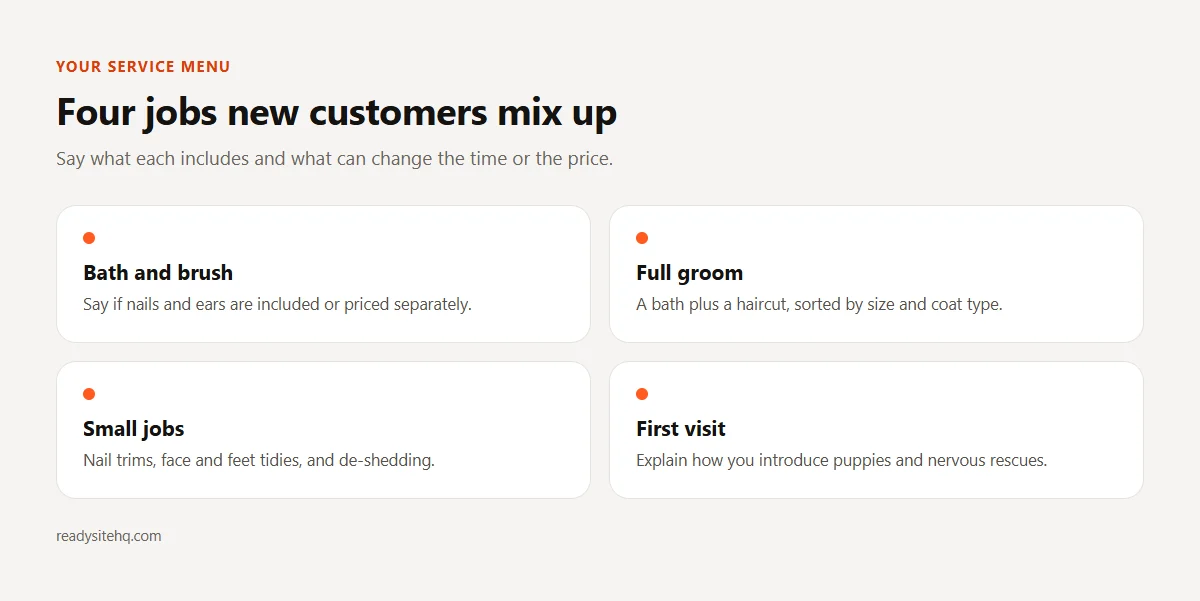
First-time customers often do not know the difference. Explain each one on your dog groomer website: a bath and brush, with nails and ears if you include them, compared with a full groom that adds a haircut. Then list the small jobs you do on their own, such as nail trims, face and feet tidies, or de-shedding. Say if walk-in nail trims are possible or if you prefer an appointment. Advice on coats differs by breed, and the American Kennel Club’s bathing guide shows how much a dog’s coat type changes things, so avoid one-size-fits-all rules on your page.
Matting And Senior Dog Policies
Write these on your dog grooming website before you need them. Matting is the conversation that goes badly at the counter, so explain what you do when a coat is too matted to brush out, whether that means a short clip and a possible extra charge. The ASPCA notes that mats can cause skin irritation and that progressed mats require clipping, which backs you up gently. For senior dogs, say what you can adapt, such as shorter sessions or breaks, and when you may ask for a vet’s OK first. Owners tend to accept a policy they read in advance.
Vaccination Requirements
Decide what you require, then say it plainly. Many groomers ask for proof of rabies vaccination, and some ask for others too, but the choice is yours and local rules vary, so check with your vet and your state or county before you set your policy. Explain how to send proof and when you need it, such as by text before the first visit. Say what happens if a dog has fleas when it arrives, too. A short, friendly note on a dog grooming website prevents an awkward turn-away on the morning of the appointment.
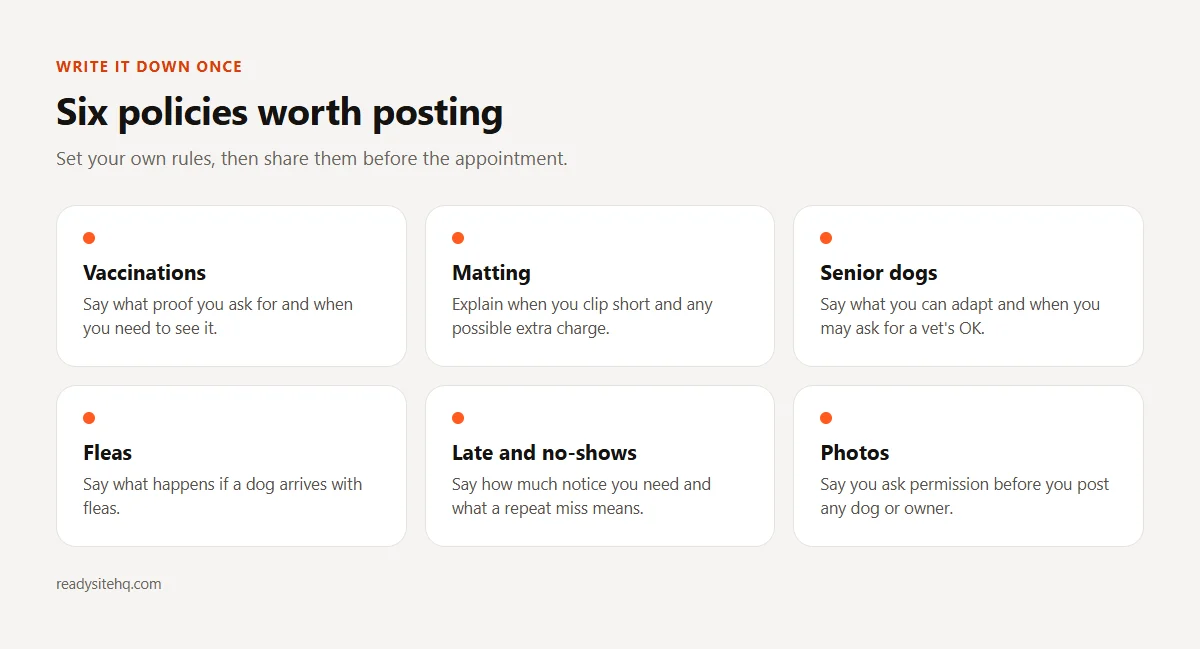
Put these on your page and a lot of your repeat phone calls can turn into a link you send. Our post on a free website for cleaning business owners looks at another trade where customers book the same service again and again.
How To Set Up A Free Website For Dog Grooming
The steps below for building a dog groomer website use ReadySite, our builder for small owner-run businesses, as the example. It has no special grooming setup, so the wording you type at the start does the work.
Describe Your Trade And Town
Go to the website builder and answer two questions: your business name and “What do you do, and where?” Type it the way you would tell a neighbor: “Mobile dog grooming in Tulsa and Broken Arrow, baths, full grooms and nail trims for small and medium dogs.” In a few minutes it writes the wording, picks free stock photos and colors, and builds one page with services, about, how it works, a gallery, reviews, an FAQ and contact details. Shops people visit can show a map and hours, and mobile groomers can show a service area.
Read through the draft, then fix the parts only you know, such as which breeds you take, your size limits and your working days. The builder only uses what you told it, so it will not claim you are insured or experienced unless you add that yourself. Those details belong on a dog groomer website if they are true, and you can add them in the visual editor with no coding.
Turn On Your Booking Page
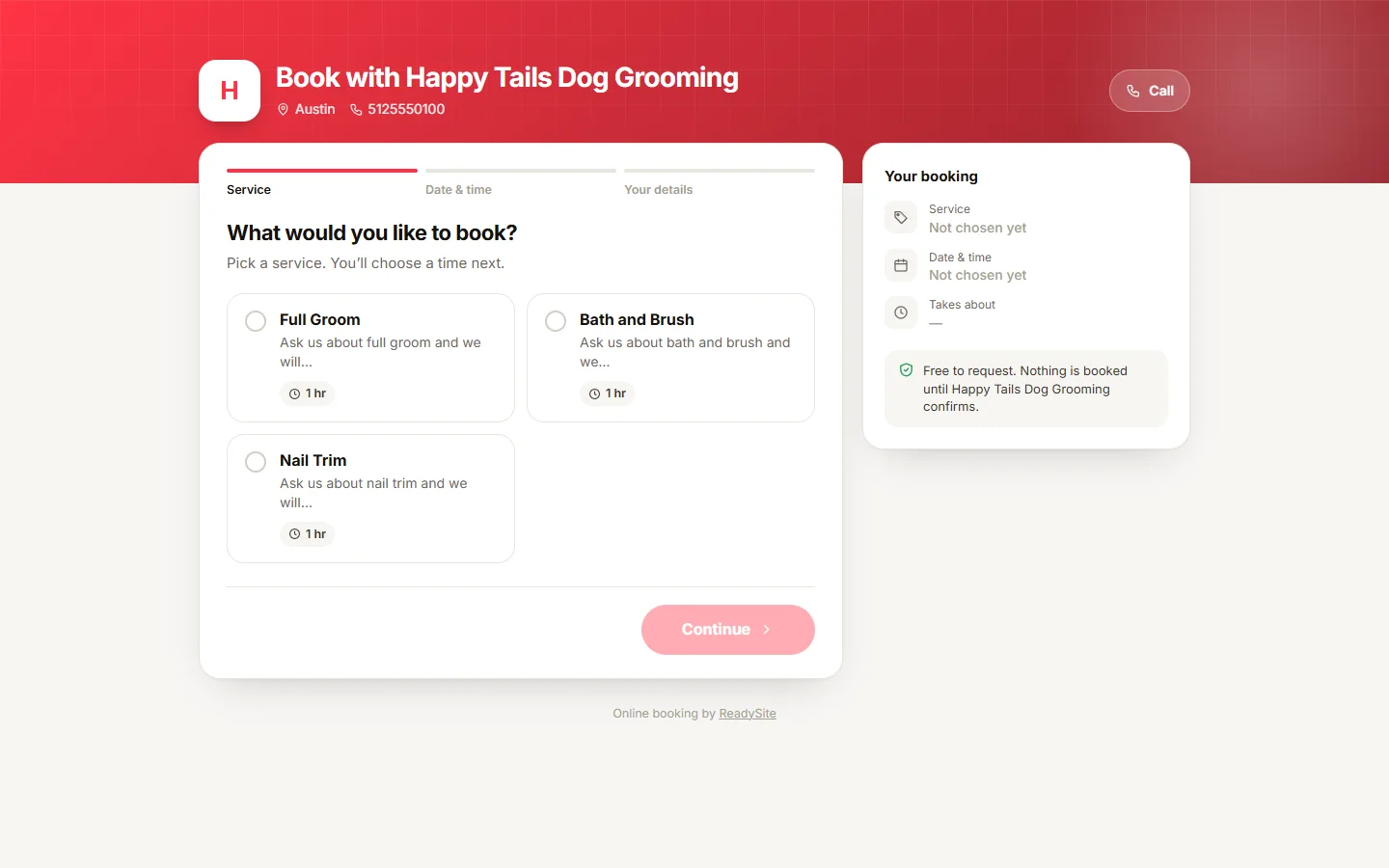
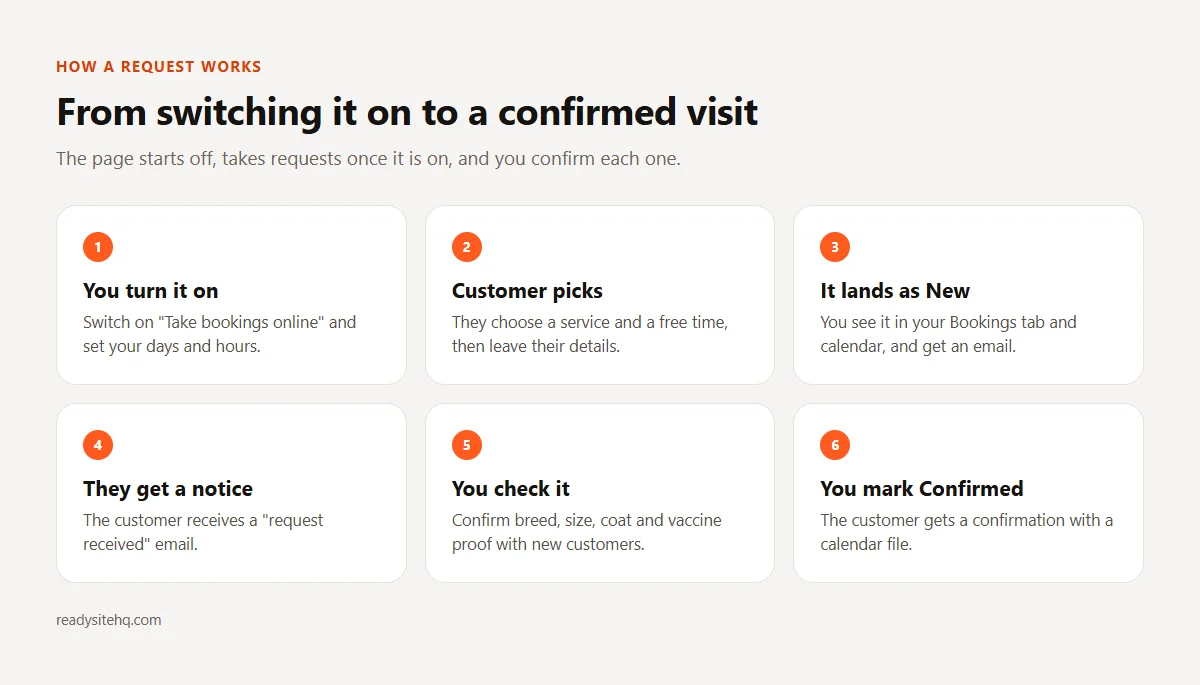
Your site can have a shareable booking page at /book/your-business/, on the Free plan too, but it starts switched off. Once your site is built, turning it on is a quick switch: find “Take bookings online” in your dashboard, turn it on and set your days and hours. The page then goes live. A customer picks a service and a free time and leaves their details. The request lands as New in the Bookings tab and calendar on your dashboard. You get an email, and the customer gets a “request received” email.
The picture here shows a booking page with services to pick from. It is an example for a made-up business, so yours will show your own services. Once your page is live, put the link on your dog grooming website, your Instagram and your Google profile, and text it to regulars. When someone asks “do you have anything Friday?” you can send them there while you finish a blow-dry.
Confirm Each Request Yourself
Nothing is booked until you say so. A request sits there until you look at it and mark it Confirmed, and that is when the customer gets a confirmation with a calendar file. Before you confirm a new customer, check the dog’s breed, size and coat by text or phone, along with their vaccination proof. It takes a moment and it stops a doodle turning up in a slot meant for a Chihuahua. Tell customers this on your dog grooming website so nobody assumes a request is a locked-in time.
If a time does not work, tell the customer and offer another one. Regulars may not need the breed questions at all, so you can confirm theirs at a glance. Try to clear new requests at the same points in your day, such as at lunch and after your last dog, so that nobody waits long for an answer about their appointment.
Before And After Photos, With Permission
Your before and after shots are what people come to a dog grooming website to see. Ask the pet parent first, in writing if you can, and say where the photo will go. Crop out their house number and their face unless they say otherwise. A matted coat in a before photo can embarrass an owner who is already worried about being judged, so be kind about which ones you use. Replace the stock photos and sample reviews as you go. The sample reviews are placeholders, and real words from your regulars carry far more weight.
All of this can happen in small pieces between appointments. Get the plain page live, then improve it a little each week as you collect photos. The image below sums up your options: build it yourself for $0 to start, or have it built for you.

Mistakes To Avoid On A Dog Groomer Website
A few habits cause trouble on a dog grooming website again and again. You can catch them all with one slow read of your own page.
Implying Instant Booking
If your button says “Booked!” or your text says “Your slot is reserved,” someone will believe it and turn up. Use words that match what happens: “Request a time” and “We will confirm by text or email.” Being clear also protects your day. A dog grooming website that sets this up correctly lets you decline a time that will not work, without upsetting anyone who thought they already had it. Tell people how soon you usually reply, and try to stick to it, even on your days off.
Leaving Out Your No-Show Policy
A no-show costs you a real slot on a day when you may only have six or eight. Write your rules on your website for dog grooming: how much notice you need, what happens after a second miss, how late is too late for drop-off. Because the booking page takes requests only and does not send automatic reminders, build your own habit. A text the day before takes a moment and can help. Some groomers book the next visit at pickup for this reason, and it works well if you make it easy.
Stating Your Schedule As A Fact About Dogs
“Every dog needs grooming every six weeks” sounds like advice, but it is really a schedule that suits some coats and owners. Try this instead: “Many of my doodle clients rebook every four to six weeks, and we can talk about what suits your dog.” If you offer recurring appointments, call it what it is, your own suggestion based on the dog in front of you. Be honest that the right gap depends on coat, lifestyle and how much brushing happens at home. Owners tend to trust a groomer who does not sound like a sales script.
Faking Or Buying Reviews
A brand-new dog grooming website with no reviews can feel exposed, but invented praise is not the fix. The FTC’s rule on fake reviews bans buying fake ones and paying for positive ones. Ask every customer at pickup, not only the ones who are smiling, and do not offer a free nail trim in return. Handymen with lots of small jobs face the same slow start, so our post on a website for handyman business owners may give you ideas.
A little honesty in these four spots goes a long way with owners. They read closely, because they are trusting you with their dog.
Dog Grooming Website Questions
Here are some questions groomers often ask before they set up a dog grooming website.
Can Customers Pay A Deposit When They Book?
Not through this booking page. It takes requests only, with no deposits or card payments, and it does not send automatic reminders. If you need deposits, full pet profiles or vaccination records stored in one place, dedicated grooming software may suit you better, either instead of this or alongside it. A free dog grooming website with a request page suits a groomer who is happy to confirm by hand.
Do I Need A Website If My Book Is Full?
You might not need one today. A small dog groomer website still gives you somewhere to send referrals and your policies, and it helps when a few regulars move away. It also gives you a place to say you have a waitlist, so people know where they stand.
Is It Really Free?
A free website for dog grooming on the ReadySite Free plan costs $0 to start. It includes one page on a readysitehq.com address, the editor, call, WhatsApp and quote buttons, an inquiries inbox and a dashboard, and you can turn on the booking page from that dashboard. If you want it built for you, the done-for-you option is $299 one time, with up to 5 pages, and you can see a free preview before you pay.
Conclusion
A good website for dog grooming tells an owner what you do with their kind of dog, what the rules are and how to ask for a time. Clear photos and plain policies do more of this work than clever wording. A nervous owner mainly wants to see that you have thought about their dog before they arrive.
Once you turn it on and set your hours, the booking page can take some phone tag out of your day, as long as customers know you confirm each request yourself. Start with a simple dog grooming website, fill it with your own dogs as you go, and treat it as something you keep improving between appointments.
Free website builder
Build a free website for your dog grooming business
Answer two questions and ReadySite writes your site and adds call, WhatsApp and quote buttons. It takes a few minutes and costs $0 to start.
Done-for-you websites
Want your website built for you?
ReadySite writes the wording, builds up to 5 pages and sets up your Google Business Profile. $299 one time, and you see a free preview before you pay.